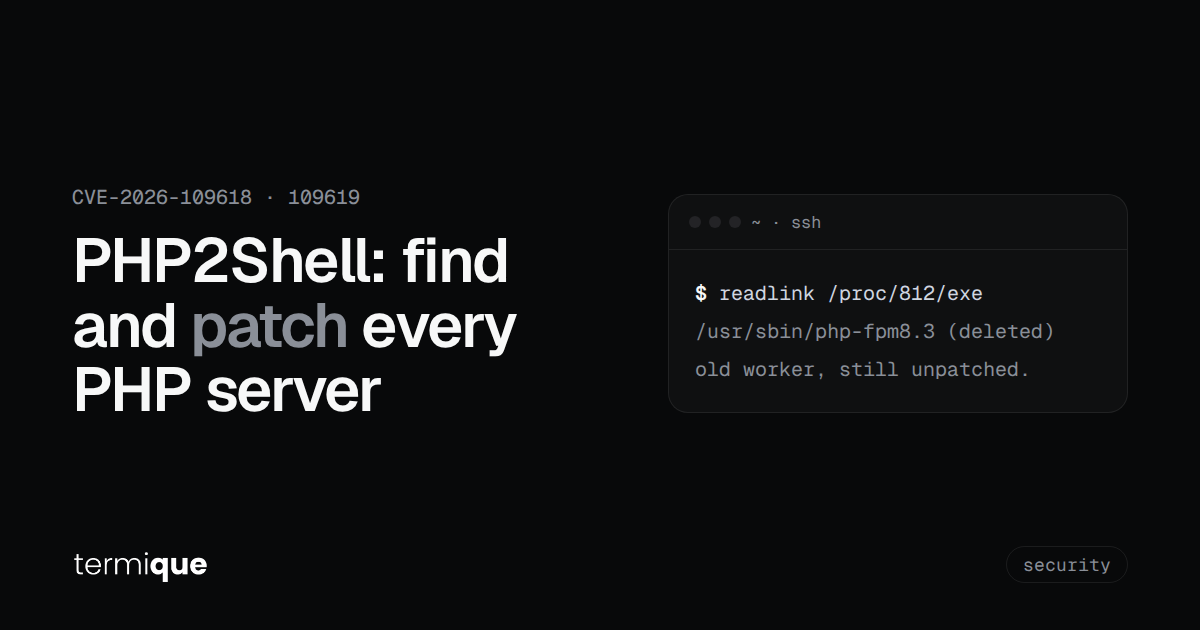
On October 21, 2026, the PHP project shipped emergency releases for PHP2Shell, two critical bugs in the PHP engine itself, tracked as CVE-2026-109618 and CVE-2026-109619. They allow unauthenticated remote code execution and remote reads of worker memory, and they don’t depend on your application code. A “Hello World” script on an affected version is enough. This guide is the practical part: how to find every PHP runtime you’re actually serving traffic with, patch it, confirm the old workers are gone, and look for signs someone got there first.
Quick Summary: What You’ll Learn
- What PHP2Shell is and which setups are at risk
- Why
php -vcan lie to you about what’s serving requests - How to patch on Debian/Ubuntu, RHEL-family, Docker and FrankenPHP
- Temporary mitigations if you can’t patch today, and their limits
- Log signals worth checking for exploitation
What is PHP2Shell, and is my server affected?
PHP2Shell is the name Wiz Research gave to a set of memory-safety bugs in how PHP handles fatal errors, mostly out-of-memory errors, while it processes a request. An interrupted request can leave corrupted internal state behind, and a later request handled by the same worker reuses it. Wiz chained these into pre-authentication RCE against the latest WordPress, Drupal and Joomla container images, and separately showed that an attacker can read chunks of worker memory, which can include passwords, tokens and API keys from other requests.
Per the PHP security advisory:
- Fixed versions: PHP 8.5.12, 8.4.27, 8.3.36 and 8.2.35.
- At risk: every PHP installation serving web requests, including PHP-FPM, Apache with mod_php, php-cgi, FrankenPHP and LiteSpeed. The PHP team rates mod_php as highest risk, because the demonstrated exploit fires before any application code runs.
- PHP 8.1 and older get no upstream release. Your distribution or LTS vendor may ship a backport; the PHP team also published minimal source backports for 7.4, 8.0 and 8.1 for people building from source.
- Affected range: Wiz reports every release back to PHP 5.4 is hit by at least one of the bugs.
If you run anything on PHP, assume you’re affected until you’ve checked.
How do I find which PHP versions are actually serving traffic?
This is where most patch rounds go wrong. The CLI binary, the FPM binary and the Apache module are separate packages with separate config, and they can be on different versions. Checking php -v over SSH tells you about the CLI only.
Start by finding what’s running:
ps -eo pid,user,args | grep -E '[p]hp-fpm|[p]hp-cgi|[f]rankenphp|[l]sphp'
apachectl -M 2>/dev/null | grep -i php
The first line shows FPM masters and pools, CGI, FrankenPHP and LiteSpeed processes. The second shows whether Apache has mod_php loaded.
For PHP-FPM, ask the running binary directly rather than whatever php is on your PATH:
FPM=$(readlink /proc/$(pgrep -o php-fpm)/exe)
echo "$FPM"
"$FPM" -v
pgrep -o picks the oldest matching process, which is the FPM master. If readlink prints a path ending in (deleted), the binary on disk was replaced by an update but the old master is still running the previous code. That server is not patched yet, whatever the package manager says.
For containers, check inside each one:
docker ps --format '{{.Names}}\t{{.Image}}'
docker exec <container> php -v
For FrankenPHP, the PHP version is embedded in the binary. A small script run through its CLI mode tells you which one:
echo '<?php echo PHP_VERSION, PHP_EOL;' > /tmp/phpver.php
frankenphp php-cli /tmp/phpver.php
Distro packages: why the version number isn’t the whole answer
Debian, Ubuntu and RHEL often backport security fixes into the version they already ship instead of moving to upstream 8.3.36 or 8.2.35. A package can be fixed while php -v still prints an older-looking number. Check the package changelog for the CVE instead:
# Debian / Ubuntu
apt-get changelog php8.3-fpm | grep -E 'CVE-2026-10961[89]'

# RHEL / Alma / Rocky
rpm -q --changelog php-fpm | grep -E 'CVE-2026-10961[89]'
Swap the package name for whatever you run (libapache2-mod-php8.3, php8.2-cgi, and so on). No match means your vendor hasn’t shipped the fix for that package yet, or you’re on a repo that doesn’t track it.
One specific warning from the PHP advisory: if you rely on the volunteer-run rpms.remirepo.net, it did not have updates on disclosure day. The advisory recommends switching to distribution packages or building from source so you can patch immediately.
How do I patch PHP for PHP2Shell?
The patch itself is ordinary. The part people skip is restarting every worker.
On Debian or Ubuntu:
sudo apt update
sudo apt install --only-upgrade 'php8.3*'
sudo systemctl restart php8.3-fpm
On RHEL-family systems:
sudo dnf upgrade 'php*'
sudo systemctl restart php-fpm
If you use mod_php, restart Apache (systemctl restart apache2 or httpd), since the module lives inside the Apache workers. For Docker, pull or rebuild the image on a fixed tag and redeploy. If you pin images by digest, the old digest stays vulnerable until you update it. For FrankenPHP, upgrade the binary or image to a release built on a fixed PHP version and restart the service. If you followed our Laravel with FrankenPHP guide, that means replacing the binary and restarting the systemd unit.
Then re-run the checks from the previous section. You’re done with a host when the running binary reports a fixed version (or the changelog shows the CVE), readlink no longer shows (deleted), and the master process started after the update:
ps -o lstart= -p $(pgrep -o php-fpm)What can I do if I can’t patch today?
The PHP team is explicit that these measures reduce exposure to specific attack paths and do not make an installation safe. Use them to buy hours, not weeks.
- Disable session upload progress. Set
session.upload_progress.enabled=0inphp.ini, the FPM pool or the server config, then restart every worker. Setting it withini_set()or a.user.inifile does not help, because the bug fires during request parsing, before those apply. - Lower request size limits.
post_max_size = 8Mif the app takes no uploads,32Mif it does, withupload_max_filesizebelow it. Enforce limits on request body size, multipart part count and header count at the proxy too. - Remove the controllable memory-limit failure. The advisory suggests
memory_limit=-1, set where applications can’t override it, plus a container or cgroup memory limit as the availability boundary. Don’t useRLIMIT_ASorRLIMIT_DATAfor this; those can trigger the vulnerable allocation failure. - On PHP 8.5, set
fatal_error_backtraces=0and restart workers.
In an FPM pool, php_admin_* values can’t be overridden by the application:
; /etc/php/8.3/fpm/pool.d/www.conf
php_admin_flag[session.upload_progress.enabled] = off
php_admin_value[post_max_size] = 8M
php_admin_value[upload_max_filesize] = 4M
Remember the CLI has its own php.ini on most distros (/etc/php/8.3/cli/ vs /etc/php/8.3/fpm/ on Debian). Checking php -i from the shell doesn’t tell you what FPM loaded.
Several CDNs and WAF vendors, including Cloudflare and Fastly, announced rules for PHP2Shell. That’s a useful layer, but it only covers traffic that actually goes through them. Anything reachable directly by IP bypasses it.
How do I check whether a server was already exploited?
Wiz notes these bugs fire below the application layer, so application logs may show very little. The signals they recommend looking for:
- Unusual multipart requests followed by memory-limit errors or repeated HTTP 500s
- Unexpectedly large or malformed
PHPSESSIDcookies in responses - Unexplained PHP worker churn
A first pass on a typical nginx + FPM box:
grep -h 'Allowed memory size' /var/log/php*-fpm.log /var/log/nginx/error.log 2>/dev/null | tail -50
grep -h 'exited on signal' /var/log/php*-fpm.log 2>/dev/null | tail -50
awk '$9 == 500' /var/log/nginx/access.log | wc -l
The first finds out-of-memory fatals, the second finds workers that crashed (segfaults are worth a closer look), and the third counts 500s in the current access log, assuming the default combined format. None of these proves exploitation on its own. A cluster of all three around the same multipart POSTs is what deserves an incident.
If anything looks wrong, treat it as a compromise of everything that process could read: rotate database passwords, API keys and session secrets the app uses, and invalidate active sessions. The memory disclosure bug means secrets can leak without any code execution. Then check the host itself, including authorized_keys, cron entries and new users, as you would after any RCE. The complete guide to SSH security covers what to look at on the access side.
Where termique fits
None of this needs special tooling, but it gets tedious past a handful of servers. If you manage your hosts in termique, a few things help. Save the version checks above as snippets and run them in each session instead of retyping them. Snippets sync as plaintext, which is fine for commands like these but not for anything containing a secret. On Pro, incident investigation can run read-only commands across several selected hosts and assemble the results into a report, which suits the log checks in the last section; anything that changes the system still asks you first. And on shared hosts with command logging turned on, you get a record of who ran the patch and when, which is the question someone will ask later. More on that in what a per-command audit log actually catches.
FAQ
Is updating WordPress, Drupal or Laravel enough?
No. The bugs are in PHP itself, not in the CMS or framework. You need a fixed PHP build, and every worker running it, regardless of what the application is.
I’m on PHP 8.1 or older. What now?
There’s no upstream release for 8.1 and older. Check whether your distribution or LTS vendor shipped a backport (the changelog check above), build from the PHP team’s source backports for 7.4 to 8.1, or use this as the push to move to a supported version.
Does `php -v` tell me if I’m patched?
Only for the CLI, and only if you’re on upstream version numbers. Check the running FPM, CGI or Apache module binary, and on distro packages check the changelog for the CVE IDs.
Is a WAF or CDN enough protection?
It reduces exposure for traffic routed through it. It does not protect a server that’s reachable directly, and the PHP team’s position is that updating is the only complete fix.
Do I need to rotate secrets even if I patched quickly?
If your servers were exposed and you see the log signals above, yes. The memory disclosure path can leak credentials without leaving the kind of trace an RCE would. If logs are clean and you patched early, rotation is a judgment call; for internet-facing apps that handle payments or auth, it’s cheap insurance.
If you’re juggling a lot of servers this week, termique is free to try.