Quick Summary: What You’ll Learn
- Which Termius alternatives in 2026 actually replace what you use Termius for: sync, mobile, SFTP, team sharing, or just a nicer terminal.
- What Termius costs today and what its free Starter plan still includes, so you know whether you need to switch at all.
- Eight alternatives, from plain OpenSSH to self-hosted and mobile-first options, with the honest tradeoff for each.
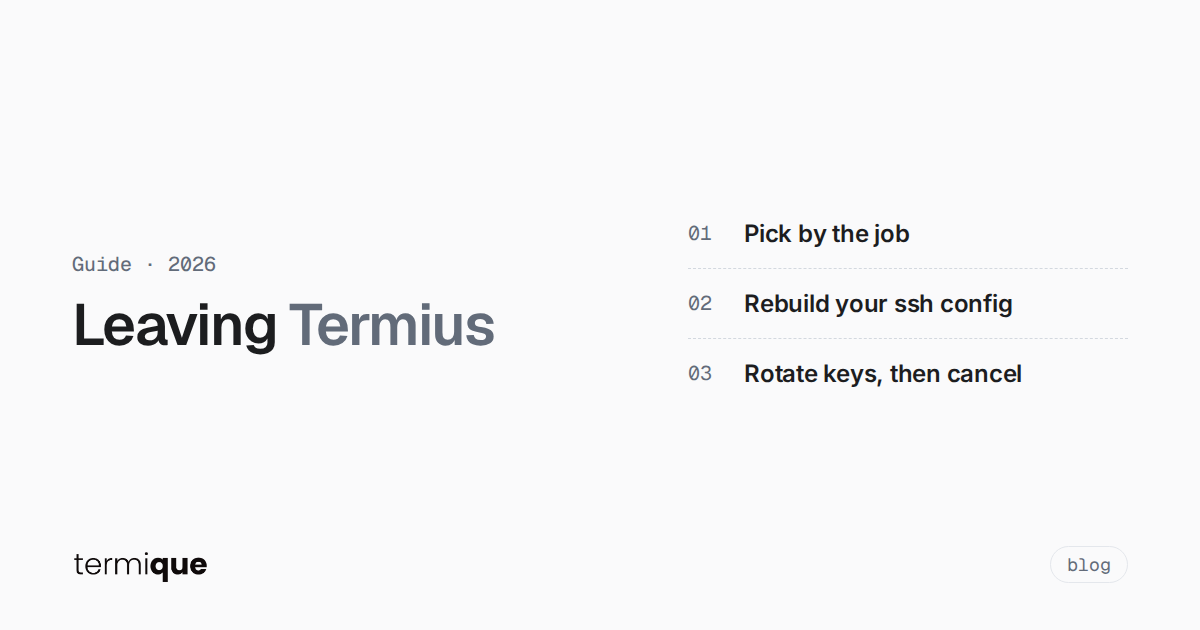
- A migration plan that works even though Termius’s docs don’t describe a host export: rebuild
~/.ssh/config, rotate keys, then cancel.
You started using Termius because it was the easy way to keep the same hosts on a laptop, a desktop and a phone. Then sync turned out to be a paid feature, or the team plan quote came back per seat, or you just want something you can inspect. Whatever the reason, the hard part of leaving isn’t picking a new app. It’s getting twenty or two hundred hosts, their keys and their jump-host chains out without breaking access to production.
This guide covers both halves: the Termius alternatives worth looking at in 2026, and a migration path that doesn’t depend on an export button.
What are the best Termius alternatives in 2026?
There isn’t one replacement, because Termius bundles several jobs into one app. Pick by the job you actually need:
- Free and open source on desktop: Tabby.
- Self-hosted, with a web UI and team sharing: Termix.
- End-to-end encrypted credential sync across desktop and mobile: termique.
- Multi-protocol (RDP, VNC and SSH in one place): Royal TS / Royal TSX.
- iPhone and iPad first: Blink Shell or Prompt 3.
- Nothing extra at all: OpenSSH with a well-organized
~/.ssh/config. - A fast native desktop terminal with SFTP: WindTerm, with a caveat about release activity.
Each one is covered below with what it’s good at and where it falls short. If you want a head-to-head on a single pair instead, the termique vs Termius comparison goes feature by feature, and the broader best SSH client for developers guide covers PuTTY, iTerm2 and MobaXterm too.
What does Termius cost in 2026, and do you need to switch?
Before switching, check whether the free plan already covers you. Per Termius’s pricing page (checked October 16, 2026):
- Starter (free): local vault, SSH and SFTP, AI-powered autocomplete, port forwarding. Commercial use is allowed.
- Pro ($10 per month, billed annually): adds a personal cloud vault, sync across mobile and desktop, session logs and snippet automation.
- Team ($20 per seat per month, billed annually): adds a shared team vault, real-time collaboration and shared session logs.
- Business ($30 per seat per month, billed annually): multiple team vaults with granular access control. SAML SSO is an add-on.
- Enterprise: custom pricing, adds SSO, a SOC 2 Type II report and migration support.
So the line that matters is sync. If you use Termius on one machine, Starter is a capable free SSH and SFTP client and switching buys you little. If you need the same hosts on two devices, or you need to share hosts with a teammate, you’re looking at Pro or Team pricing, and that’s where most people start comparing.
Which Termius alternatives are free and open source?
Tabby
Tabby (formerly Terminus, a name that still causes confusion with Termius) is an MIT-licensed terminal for Windows, macOS and Linux. It includes an SSH2 client with a connection manager, Zmodem file transfer, agent forwarding (including Pageant and the native Windows OpenSSH agent), a serial terminal, and an integrated encrypted container for SSH secrets and configuration. There’s also a web app version that can be self-hosted. The project is active: the latest release at the time of writing is v1.0.238 from October 7, 2026.
Where it falls short: sync between machines isn’t built in. The README lists a community sync-config plugin that pushes your config to a GitHub Gist or Gitee, which works but is a plugin you trust separately. There’s no mobile app. If you want a free, auditable desktop client and you work from one or two machines, Tabby is the closest like-for-like swap. The termique vs Tabby page compares the two directly.
Termix
Termix is the alternative that keeps coming up in self-hosting communities, and for good reason. It’s an Apache-2.0 licensed, self-hosted server management platform: you run the server, and you reach it from a web UI, a desktop app or mobile. The core stores hosts (nested folders, tags, import and export), credentials, users and sharing with four permission levels, plus an audit log. Everything else, including the SSH terminal, SFTP file manager, tunnels, Docker management and metrics, ships as plugins you can turn off.
The tradeoff is the one every self-hosted tool has. Its README says passwords and keys are encrypted per user and the database can be encrypted on disk, which is a sensible model, but the server that holds those secrets is now yours to patch, back up and keep off the public internet. For a homelab or a team that already runs internal services, that’s a fair trade. For a solo developer who wanted less to maintain, it’s more.
WindTerm
WindTerm is a fast native terminal for Windows, macOS and Linux with SSH, SFTP, Telnet, serial and tmux support. It’s free to download and has a large following on GitHub. The caveat for 2026: its latest GitHub release, 2.7.0, dates from March 11, 2025, and the repository hasn’t had a push since. That doesn’t make it unsafe today, but for a tool that holds your SSH credentials, a long gap between releases is worth weighing.
Which alternative is best if you need sync and mobile?
termique
termique is the SSH manager we build, so weigh this section accordingly. It runs on macOS, Windows and Linux as a native Tauri app, with a mobile companion app that signs in to the same account. The design choice that sets it apart: credentials are end-to-end encrypted. Your master password derives a key on your device, that key unwraps a random data encryption key, and every SSH password and private key is encrypted with it before it’s stored or synced. The server only ever holds ciphertext. The end-to-end encrypted SSH credentials explainer walks through the model.
What’s honest to add:
- Not everything is end-to-end encrypted. Credentials are. Hosts, groups and snippets sync as plaintext metadata, so the server can see hostnames and labels.
- The free plan caps you at 3 hosts and 10 snippets. It includes SFTP, unlimited terminal sessions, SSH key management and sync. Pro is $5 per month ($40 per year) and removes the caps, and adds command logs and host sharing.
- Lose the master password and your credentials are gone. There’s no reset path, by design.
- It’s an SSH manager. If your day involves serial consoles, Telnet or Mosh, Termius, Tabby or Prompt 3 cover those.
If what pushed you off Termius is paying for sync, or not wanting a vendor to be able to decrypt the keys you sync to your phone, termique is built for that combination.
Royal TS and Royal TSX
Royal TS (Windows) and Royal TSX (macOS), with iOS and Android apps, are connection managers rather than SSH clients first. They handle RDP, VNC, SSH, Telnet, web pages and more from one document, and they support team sharing of those documents. If your fleet is a mix of Windows servers and Linux boxes, that’s a real advantage over any SSH-only tool. If you only ever open SSH sessions, it’s more product than you need. There’s a direct termique vs Royal TSX comparison if you’re weighing those two.
What’s the best Termius alternative for iPhone and iPad?
Blink Shell
Blink Shell is a GPL-3.0 open-source terminal for iOS and iPadOS built around Mosh and SSH. Mosh is the reason people pick it: sessions survive switching networks and putting the device to sleep. It supports Ed25519, ECDSA and RSA keys, tunnels, ProxyCommand and an SSH agent, plus a set of local Unix tools and external keyboard support. It’s iOS only, so it replaces the phone half of Termius, not the desktop half. Check the App Store listing for current pricing.
Prompt 3
Prompt 3 from Panic runs on Mac, iPhone, iPad and visionOS, sold as one app across those platforms. It supports SSH, Mosh and Eternal Terminal, jump hosts, YubiKey, and Panic Sync, which syncs servers, keys and passwords between your Apple devices. If your whole setup is Apple, it’s the closest thing to Termius’s cross-device experience without a Termius subscription. If you also use Windows or Linux, it doesn’t follow you there.
Can you replace Termius with plain OpenSSH?
Often, yes. Termius’s host list, groups, jump hosts and per-host keys all map onto ~/.ssh/config, which every alternative above can read or at least coexist with. What you give up is the GUI, the mobile app and automatic sync. What you gain is a plain text file you can version, diff and copy anywhere.
A config that replaces a typical Termius group with a jump host looks like this:
Host bastion
  HostName 203.0.113.10
  User ops
  IdentityFile ~/.ssh/id_ed25519_laptop
  IdentitiesOnly yes

Host prod-web-*
  User deploy
  ProxyJump bastion
  IdentityFile ~/.ssh/id_ed25519_laptop
  IdentitiesOnly yes

Host prod-web-01
  HostName 10.0.1.11

Host prod-web-02
  HostName 10.0.1.12
ProxyJump replaces Termius’s host chains, and IdentitiesOnly yes stops ssh from offering every key in your agent before the right one. The ssh config organization guide covers splitting this into Include files per environment once it grows.
How do you export hosts out of Termius?
This is the part most “alternatives” lists skip. Termius’s current documentation describes importing hosts from ~/.ssh/config, CSV, PuTTY, MobaXterm and SecureCRT, but we couldn’t find a documented way to export your host list (checked against docs.termius.com on October 16, 2026). The old termius-cli on GitHub had an export-ssh-config command, but that repository is archived and hasn’t been updated since 2024. Treat it as history, not a migration tool.
That leaves a manual migration. Done in this order, it’s also a free key rotation.
Step 1: Inventory every host into ~/.ssh/config
Open each group in Termius and write each host as a Host block: alias, HostName, User, Port if it isn’t 22, and ProxyJump for anything behind a host chain. Check each entry resolves the way you expect before you connect:
ssh -G prod-web-01 | grep -E '^(hostname|user|port|proxyjump|identityfile) 'ssh -G prints the configuration ssh would use for that host after evaluating every Host and Match block, and exits without connecting. It catches typos and wildcard blocks that match more than you meant.
Step 2: Generate new keys instead of moving old ones
Keys that lived in a synced vault you’re leaving are keys you should retire. Generate a fresh one per device:
ssh-keygen -t ed25519 -a 100 -C "you@laptop-2026-10" -f ~/.ssh/id_ed25519_laptopGive it a passphrase. Then install the public key on each server, while your old Termius access still works:
ssh-copy-id -i ~/.ssh/id_ed25519_laptop.pub prod-web-01ssh-copy-id -i uses only the identity file you name, and because it reads your ssh config, the alias and ProxyJump from step 1 apply.
Step 3: Test the new key on its own
Prove the new key works without help from any other key in your agent:
ssh -o IdentitiesOnly=yes -i ~/.ssh/id_ed25519_laptop prod-web-01 true && echo okDo this for every host before you remove anything. Keep one working session open to each critical server while you change authorized_keys, so a mistake doesn’t lock you out.
Step 4: Remove the old keys, then cancel
Once every host passes step 3, delete the old public key lines from ~/.ssh/authorized_keys on each server. Match on the key’s comment or fingerprint, not by guessing. ssh-keygen -lf ~/.ssh/authorized_keys lists the fingerprint and comment of every key in that file. The SSH key rotation best practices guide covers doing this across a fleet. Copy any snippets you rely on into a text file or your new tool, and only then cancel the Termius subscription.
Step 5: Load the new setup into your next tool
With a working ~/.ssh/config and fresh keys, the next tool is the easy part. Tabby, WindTerm and Prompt 3 can all work from the same host details. In termique you add each host (address, port, user, and the key or password) and import the private key from Settings → SSH keys, where it’s encrypted on your device before it syncs. On the free plan that’s 3 hosts, so a larger fleet needs Pro.
How do the Termius alternatives compare at a glance?
- Tabby: Windows, macOS, Linux. Free, MIT. Sync via community plugin. No mobile app.
- Termix: web, desktop and mobile clients for a server you host. Free, Apache-2.0. Sharing and roles built in.
- WindTerm: Windows, macOS, Linux. Free download. Latest release March 2025.
- termique: macOS, Windows, Linux plus a mobile companion. Free for 3 hosts, Pro $5 per month. End-to-end encrypted credentials.
- Royal TS / TSX: Windows, macOS, iOS, Android. Commercial. Multi-protocol, including RDP and VNC.
- Blink Shell: iOS and iPadOS. GPL-3.0. Mosh-first.
- Prompt 3: Mac, iPhone, iPad, visionOS. Paid. Panic Sync across Apple devices.
- OpenSSH + ~/.ssh/config: everywhere. Free. No GUI, no built-in sync.
FAQ
Is there a free Termius alternative?
Several. Tabby and Termix are free and open source, WindTerm is a free download, and OpenSSH with ~/.ssh/config costs nothing. termique has a free plan for up to 3 hosts. Termius’s own Starter plan is also free and includes SSH and SFTP, just without sync.
Can I export my hosts from Termius?
Termius’s current docs describe imports, not a host export. The practical route is to rebuild your hosts in ~/.ssh/config, check them with ssh -G, and use that file as the portable source for whichever tool you pick next.
Is there an open-source Termius alternative?
Yes. Tabby (MIT) is the closest desktop equivalent, Termix (Apache-2.0) is the closest self-hosted equivalent with a web UI and sharing, and Blink Shell (GPL-3.0) covers iOS.
Is Terminus the same as Termius?
No. Terminus was the original name of Tabby, an open-source terminal. It was renamed partly because the name was so close to Termius, a separate commercial SSH client.
Do I need to rotate my SSH keys when leaving Termius?
It isn’t required, but it’s the cleanest exit. Generating new keys during the move means no key you’re still trusting lives in an account you’ve cancelled, and the old ones come off your servers in the same pass.
Try termique free
If you want your hosts on every machine with credentials encrypted before they leave the device, download termique and move your first three hosts over on the free plan.