Quick Summary: What You’ll Learn
- Whether PuTTY runs on a Mac at all (short answer: not officially, and the Homebrew build is mostly useful for
puttygen). - The PuTTY alternatives for Mac worth installing in 2026, from the built-in Terminal to full SSH managers, with the tradeoff for each.
- How to move your saved PuTTY sessions from the Windows Registry into
~/.ssh/config, field by field. - How to convert
.ppkkeys, store the passphrase in the macOS Keychain, and replace PuTTY’s serial console.
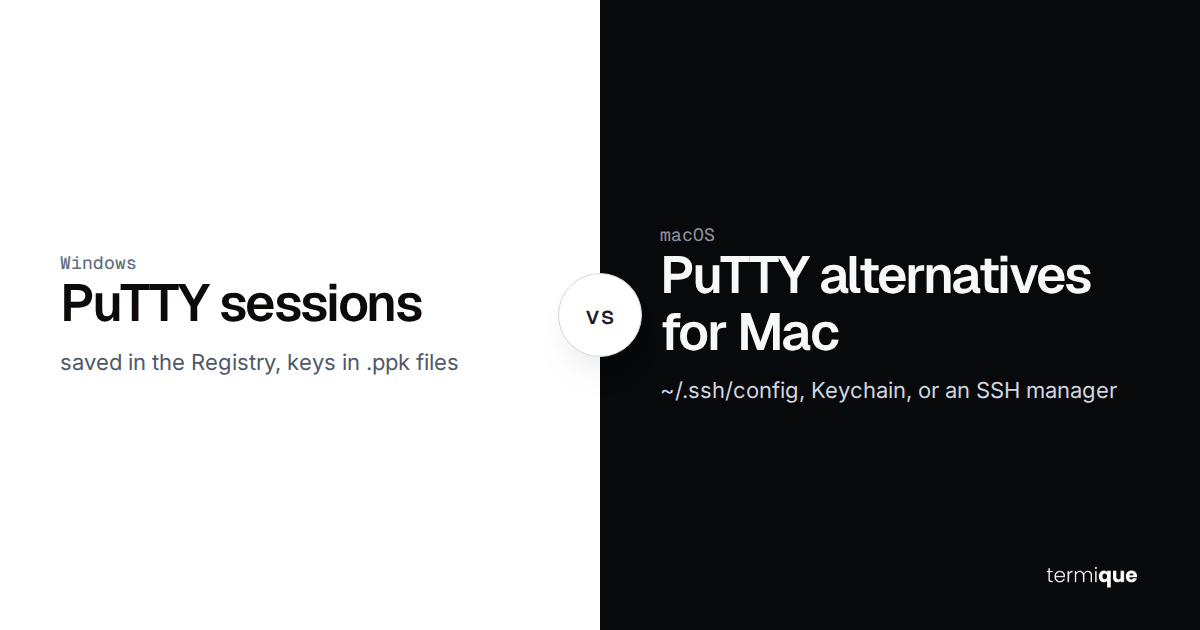
You spent years with PuTTY on a Windows box: a list of saved sessions, a couple of .ppk keys, maybe a serial cable for the switch in the rack. Now the work laptop is a MacBook and the first search is “PuTTY for Mac”. There isn’t one you’d want to rely on, and the good news is that you need it less than you think. macOS ships OpenSSH, and everything PuTTY stored for you maps onto plain text files you can read.
This guide covers which PuTTY alternative for Mac fits which habit, then walks through the migration so nothing in your session list gets lost.
What is the best PuTTY alternative for Mac?
It depends on which part of PuTTY you actually used. Pick by job:
- Just need to SSH into a few servers: the built-in Terminal app plus OpenSSH. Already installed, free, and the same
sshyou’ll find on every Linux box. - Want a better terminal, keep the command line: iTerm2. Free, GPL v2, with split panes, profiles and tmux integration.
- Want a saved-session list like PuTTY’s, with a GUI: an SSH manager such as termique, Termius or Tabby.
- Need serial consoles too:
screenin Terminal, or Tabby, which has a serial terminal built in. - Manage Windows servers over RDP alongside Linux over SSH: Royal TSX, a multi-protocol connection manager.
If you want the full cross-platform list, including Windows-only tools like MobaXterm and Bitvise, our PuTTY alternatives roundup covers twelve of them. This article stays on macOS.
Is there an official PuTTY for Mac?
No. The PuTTY team ships release builds for Windows and Unix, and its own FAQ says a Mac version is unlikely ever to be finished. They tried a native Cocoa port around 2005 and a GTK-on-Quartz port in 2015, and neither shipped.
What you can install is the Unix build through a package manager:
brew install puttyThe Homebrew formula (version 0.85 at the time of writing) installs putty, puttygen, plink, pscp, psftp, pageant and pterm, and pulls in GTK 3 as a dependency. MacPorts has a putty port too. The GUI putty binary is a GTK app, not a native Mac one, and it isn’t a build the PuTTY team supports on macOS.
The part of that package that is genuinely useful on a Mac is puttygen, because it converts your .ppk keys to OpenSSH format. More on that below.
Which PuTTY alternatives for Mac are worth installing?
Terminal and OpenSSH (built in)
Every Mac has ssh, scp, sftp, ssh-keygen and ssh-agent out of the box. Combined with a ~/.ssh/config file, that replaces PuTTY’s saved sessions with named hosts:
ssh web-prodStrengths: nothing to install, scriptable, identical behaviour on your servers, and Apple’s ssh-add integrates with the Keychain. Weaknesses: no GUI host list, no sync between machines, and you manage keys as files yourself. For one machine and a dozen hosts, this is often all you need.
iTerm2
iTerm2 is a free, GPL v2 replacement for Terminal. The current stable release, 3.7.6, was built on October 15, 2026 and needs macOS 13 or newer. It adds split panes, searchable scrollback, profiles, triggers and a tmux integration mode that maps remote tmux windows to native tabs.
It isn’t an SSH manager. The usual pattern is one iTerm2 profile per important host, with the profile’s command set to ssh web-prod, so ~/.ssh/config still does the real work. If you liked PuTTY’s copy-on-select, iTerm2 has an option for that too. We compare it with termique on the termique vs iTerm2 page.
termique
termique is a native SSH manager we build, written with Tauri rather than Electron, for macOS 12 and newer, Windows, Linux and iOS. It’s the closest thing on this list to PuTTY’s session list: you add hosts with a label, address, port, user and a key or password, organize them into groups and tags, and connect with one click. It also has SFTP, saved command snippets and server monitoring.
The difference from PuTTY is where credentials live. Passwords and private keys are encrypted on your device with a key derived from your master password and sync to your other devices only as ciphertext. Hosts, groups and snippets sync as plain metadata, so don’t put secrets in a hostname or a snippet. The security page has the details. The free plan covers 3 hosts; Pro is $5 a month for unlimited hosts, host sharing and per-command audit logs. It does SSH only, so it won’t replace PuTTY’s serial or Telnet modes.
Termius
Termius runs on macOS, Windows, Linux, iOS and Android. As of October 16, 2026, its free Starter plan includes a local vault, SSH and SFTP, and port forwarding. Syncing your vault between desktop and mobile starts on the Pro plan at $10 a month billed annually. It imports existing hosts from ~/.ssh/config, CSV and PuTTY, among others, which helps if you’re coming straight from Windows. The termique vs PuTTY comparison also lists how the two managers differ on sync.
Tabby
Tabby is an MIT-licensed terminal for macOS, Windows and Linux with an SSH connection manager, Zmodem file transfer, agent forwarding and a built-in serial terminal. Sync between machines isn’t built in (there’s a community plugin) and there’s no mobile app. If you want one free app that covers both SSH and serial on a Mac, Tabby is the obvious pick.
Royal TSX
Royal TSX is the macOS member of the Royal TS family, with Windows, iOS and Android apps too. It’s a connection manager first: RDP, VNC, SSH, Telnet and web sessions live in one shared document. If you only open SSH sessions, it’s more than you need. If half your fleet is Windows Server, it’s the one that handles both.
How do you move PuTTY saved sessions to a Mac?
PuTTY keeps saved sessions in the Windows Registry under HKEY_CURRENT_USER\Software\SimonTatham\PuTTY\Sessions. Export them on the Windows machine:
reg export "HKCU\Software\SimonTatham\PuTTY\Sessions" putty-sessions.regCopy putty-sessions.reg to the Mac. It’s a text file, one [...\Sessions\<name>] block per saved session. If you used a PuTTY fork such as KiTTY, it may keep sessions in a different key or in a portable folder; our PuTTY forks guide covers where each one stores them.
Which PuTTY settings map to ~/.ssh/config?
Each session block becomes a Host block. The fields that matter:
HostNamestaysHostName.PortNumberbecomesPort. Watch the encoding:reg exportwrites numbers as hex, so"PortNumber"=dword:00000016is port 22 anddword:00000d3dis port 3389.UserNamebecomesUser.PublicKeyFilepoints at a.ppkfile. Convert the key (next section), then useIdentityFilewith the new path, plusIdentitiesOnly yesso ssh offers only that key.AgentFwdset todword:00000001becomesForwardAgent yes. Only carry this over if you still need it; agent forwarding to a server you don’t fully trust is a real risk.X11ForwardbecomesForwardX11.PortForwardingsholds your tunnels as a comma-separated list such asL5432=localhost:5432,D1080. EachLentry becomesLocalForward 5432 localhost:5432, eachRentry becomesRemoteForward, andD1080becomesDynamicForward 1080.PingIntervalandPingIntervalSecs(PuTTY’s keepalives) have no exact equivalent;ServerAliveInterval 30is the closest OpenSSH setting.
A session called web-prod with a key and a database tunnel ends up as:
Host web-prod
    HostName 203.0.113.10
    Port 2222
    User deploy
    IdentityFile ~/.ssh/web-prod_ed25519
    IdentitiesOnly yes
    LocalForward 5432 localhost:5432
    ServerAliveInterval 30
If you reached internal hosts by logging into a gateway first, use ProxyJump instead of hopping by hand; the bastion host and ProxyJump guide has the full pattern. Once you have more than a handful of hosts, group them with comments and Include files as described in our ssh config organization tips.
Check each translated entry before you trust it:
ssh -G web-prod | grep -E '^(hostname|port|user|identityfile) 'ssh -G prints the configuration ssh would actually use for that host after every matching block is applied, without connecting.
How do you convert .ppk keys on a Mac?
OpenSSH doesn’t read PuTTY’s .ppk format, so convert each key once. With puttygen from Homebrew:
puttygen web-prod.ppk -O private-openssh -o ~/.ssh/web-prod_ed25519
puttygen web-prod.ppk -L > ~/.ssh/web-prod_ed25519.pub
chmod 600 ~/.ssh/web-prod_ed25519
-O private-openssh writes the private key in OpenSSH format, -o names the output file, and -L prints the public half as a single OpenSSH line. If the .ppk has a passphrase, puttygen asks for it. The key pair doesn’t change, so nothing on the server needs updating. For the GUI route on Windows, PPK version 3 files and other edge cases, see our guide to converting PPK to OpenSSH.
Two cases call for a fresh key instead of a converted one: the old Windows machine is being decommissioned or handed to someone else, or the .ppk never had a passphrase and sat in a shared folder. Generate a new key on the Mac with ssh-keygen -t ed25519, add it to the server, test it, then remove the old public key from authorized_keys.
How do you get Pageant-style key caching on macOS?
Pageant held your decrypted keys so you typed the passphrase once. On macOS, ssh-agent does that job, and Apple’s build of ssh-add can store the passphrase in the Keychain so it survives reboots:
ssh-add --apple-use-keychain ~/.ssh/web-prod_ed25519Then tell ssh to load keys into the agent and read the passphrase from the Keychain automatically:
Host *
    AddKeysToAgent yes
    UseKeychain yes
--apple-use-keychain replaced the older -K flag in macOS 12 Monterey. UseKeychain only exists in Apple’s build of OpenSSH (it isn’t in the upstream ssh_config manual): a different ssh, such as one installed from Homebrew, rejects it with “Bad configuration option: usekeychain”. Adding IgnoreUnknown UseKeychain above it keeps one config working with both builds.
What replaces PuTTY’s serial console on a Mac?
Plug in the USB-to-serial adapter (some need a vendor driver first) and find its device name:
ls /dev/cu.*Then open it with screen at the device’s baud rate:
screen /dev/cu.usbserial-1410 9600The device name above is an example; use the one ls shows. To leave, press Ctrl-a, then k, and confirm. If you’d rather have a GUI, Tabby’s serial terminal handles the same job with saved profiles.
Where does termique fit for Mac users coming from PuTTY?
If what you miss from PuTTY is the saved-session list, termique gives you that as a native Mac app, with the credentials encrypted rather than sitting in a registry key or a .ppk on disk. Add each host from the ~/.ssh/config you just built, and import the converted key in Settings → SSH keys (OpenSSH or PEM format). From there the same hosts and encrypted keys are available on your other devices, including the iOS companion app.
Where it doesn’t fit: serial consoles, Telnet and RDP. For those, keep screen, Tabby or Royal TSX alongside it. And if you only ever SSH into three servers from one Mac, Terminal plus a tidy ~/.ssh/config is a perfectly good answer.
FAQ
Is there a PuTTY for Mac?
Not an official one. The PuTTY team only releases Windows and Unix builds. brew install putty gives you the Unix tools, including a GTK version of the putty GUI and puttygen, but it isn’t a supported Mac app.
What is the Mac equivalent of PuTTY?
For most people it’s the built-in Terminal app running ssh, with saved hosts in ~/.ssh/config. If you want a GUI session list, use an SSH manager such as termique, Termius or Tabby.
Is there a free PuTTY alternative for Mac?
Yes. Terminal and OpenSSH are built in, iTerm2 and Tabby are free and open source, and termique and Termius both have free plans with limits on hosts or sync.
What is a PuTTY serial alternative for Mac?
screen /dev/cu.<device> <baud> in Terminal works without installing anything extra. Tabby includes a serial terminal if you prefer a GUI.
Can I use my .ppk key on a Mac?
Not directly with OpenSSH. Convert it once with puttygen key.ppk -O private-openssh -o key and use the converted file. The key pair is the same, so the server doesn’t need changes.
Try termique on your Mac
If you’ve rebuilt your PuTTY session list in ~/.ssh/config and want it as an app with encrypted credentials, download termique for macOS. The free plan covers 3 hosts, enough to try it with your most-used servers.