You have used the same PuTTY fork for years because it does the two or three things plain PuTTY never did: a tray icon, clickable links, an auto-login script, sessions in a portable folder. It still opens, it still connects, so it feels fine. The question nobody asks until an audit does is simple: which version of PuTTY is underneath it, and how many security releases has it missed?
That question matters more than the feature list. A putty fork carries a full copy of PuTTY’s SSH code. When upstream PuTTY fixes a vulnerability, every fork has to pull that fix in and ship a new build. If the fork stalls, the fix never reaches you, no matter how recent the download page looks.
This guide checks the PuTTY forks people still search for in 2026, what each one is built on, whether anyone is still shipping it, and how to move off one cleanly if it has stalled.
Quick summary: what you’ll learn
- Which PuTTY forks are maintained in 2026, and which are stuck on an old base
- Why the upstream PuTTY version under a fork matters more than its extra features
- What KiTTY, KiTTY++, PuTTYTray and PuTTY-CAC each add
- Why SuperPuTTY and other tab managers are not forks, and what that means for security
- How to check the PuTTY version inside any fork
- How to export sessions and keys when you leave a stalled fork
Which PuTTY forks are still maintained in 2026?
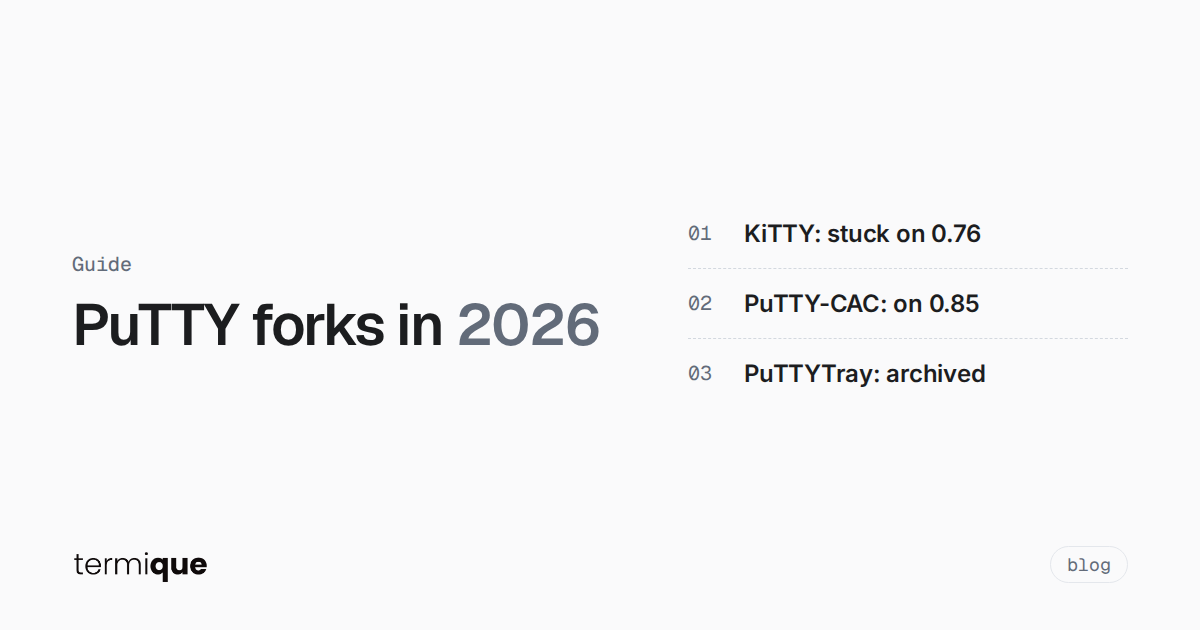
Short answer: of the well-known forks, only PuTTY-CAC tracks upstream PuTTY closely today. The original KiTTY has had no release since September 2023 and is still built on PuTTY 0.76. A community port called KiTTY++ has moved the KiTTY feature set onto PuTTY 0.85, but it is labelled beta. PuTTYTray is archived. Upstream PuTTY itself is at 0.85, released on 16 August 2026.
Status as of October 2026, taken from each project’s own repository and release page:
- PuTTY (upstream): version 0.85, released 2026-08-16. Active, with regular security releases.
- KiTTY (original, 9bis): latest release 0.76.1.13, September 2023. The project site still describes it as “a fork from version 0.76 of PuTTY”. An open GitHub issue titled “Is this project dead?” has been collecting replies since February 2024.
- KiTTY++ (community port): a forward port of KiTTY’s features onto PuTTY 0.85. The current build is
0.85.1.15-beta, and the repository had commits in October 2026. A small project, and explicitly beta. - PuTTYTray: the GitHub repository was archived in April 2024 and its last code commit dates from 2018.
- PuTTY-CAC: active. The latest release is “PuTTY CAC 0.85 Update 2”, from 30 September 2026, so it is on the current upstream base.
- PuTTie: another feature fork, marked “unmaintained until further notice” by its author.
If you only remember one thing from this list: a fork is current when its base version matches upstream, not when its website looks recent.
Why does the PuTTY version under a fork matter?
Because the dangerous bugs live in the SSH code the fork inherited, not in the features it added. Look at what upstream PuTTY has fixed since 0.76, the base of the original KiTTY:
- 0.80 (December 2023): support for OpenSSH’s
kex-strictprotocol change, which addresses the attack on some@openssh.comcipher and MAC modes, ChaCha20-Poly1305 in particular. This is the fix widely known as the Terrapin mitigation. - 0.81 (April 2024): CVE-2024-31497. PuTTY generated biased nonces for
ecdsa-sha2-nistp521signatures, and the changelog is blunt about it: “The previous bias compromises private keys.” - 0.84 (May 2026): a remotely triggerable double-free in RSA key exchange, plus a crash in NIST ECDSA signature verification.
- 0.85 (August 2026): a remotely triggerable use-after-free in Pageant, a buffer overflow with OpenSSH encrypt-then-MAC modes, a buffer overflow in private key decryption for maliciously built keys, and denial-of-service fixes.
KiTTY 0.76.1.13 shipped in September 2023, before every one of those releases. Unless a fork’s maintainer backported each fix by hand, a build on the 0.76 base does not have them.
The CVE-2024-31497 case is worth spelling out. Every PuTTY release from 0.68 to 0.80 is affected. If you ever used a NIST P-521 ECDSA key with one of them, the PuTTY team recommends revoking that key and replacing it, not just updating the client, because information about the key has already leaked. A fork that never picked up 0.81 keeps producing those biased signatures. If your fork is on an old base and you use P-521 keys with it, rotate them.
What does KiTTY add, and is KiTTY dead?
KiTTY is the fork most people mean when they search “putty fork kitty”. It is Windows-only and adds features plain PuTTY lacks, or only added much later. KiTTY++ lists the ones it carried forward, including:
- Window extras: transparency, always-on-top, send-to-tray, per-session icons, a background image
- Clickable URLs in the terminal, and OSC 8 hyperlinks in KiTTY++
- Session automation: a command sent automatically after login, an automatically sent password, anti-idle keepalive, port knocking, session duplication, session export and import
- Scripting, and a portable mode that keeps everything in a folder instead of the registry
Is it dead? The original project has not shipped since September 2023, and that open “Is this project dead?” issue is where users went looking for alternatives. Calling it abandoned would overstate what anyone knows, but the practical answer is the same: the original KiTTY build you can download is on PuTTY 0.76, with no release in about three years.
KiTTY++ is the most serious attempt to fix that. It rebuilt the KiTTY features on top of PuTTY 0.85, so it inherits the 0.80 to 0.85 security fixes. The tradeoff is maturity: it is a small project’s beta, with a known-issues file you should read before rolling it out to a team.
One feature deserves a warning on its own: auto-password. Storing a password in a saved session means anyone who can read that session file or registry key has a strong head start on your server. If you rely on it, the better fix is key-based authentication, with the key protected by a passphrase and loaded into an agent.
What happened to PuTTYTray?
PuTTYTray was popular for a tray icon, clickable URLs, font zoom with the mouse wheel, and transparent loading of OpenSSH-format keys. Its last continuation on GitHub was archived in April 2024, and the last code change in that repository dates from September 2018.
If you still have puttytray.exe on a jump box, it is an old PuTTY base with no maintainer. Replace it.
Is PuTTY-CAC worth using?
If you authenticate with a smart card, a YubiKey or a FIDO key on Windows, yes. PuTTY-CAC is a fork with a narrow, clear purpose: it adds the Windows Certificate API (CAPI), PKCS #11 libraries and FIDO authenticators for SSH public key authentication. The “CAC” is the US government’s Common Access Card, but it works with many common tokens.
It is also the fork that best keeps pace with upstream. Its releases are named after the PuTTY version they are built on (0.84, 0.85, then 0.85 Update 1 and Update 2), so you can read the base version straight from the release name. Recent builds also ship PuTTYTab (puttytab.exe), which hosts PuTTY sessions in one tabbed window.
It needs Windows 10 or later, and the token itself needs a smart card mini-driver or a PKCS #11 library from the vendor (or OpenSC).
Are SuperPuTTY and other tab managers PuTTY forks?
No, and the difference matters for security. A fork replaces putty.exe with its own build. A wrapper like SuperPuTTY, which calls itself a “Window Manager for putty sessions”, hosts the PuTTY executable you point it at inside tabs.
That has a useful consequence: with a wrapper, your SSH security is whatever putty.exe you configured. Point it at upstream PuTTY 0.85 and you get every fix in 0.85. Point it at a copy you downloaded in 2019 and the wrapper cannot help you.
So if you use a tab manager, check two things separately: whether the wrapper itself is maintained (SuperPuTTY’s last commit was in June 2025), and which putty.exe path it launches.
How do you check which PuTTY version a fork is built on?
Three quick checks, in order of reliability:
- The fork’s own version number. Most forks encode the upstream base. KiTTY 0.76.1.13 is PuTTY 0.76 plus KiTTY changes. KiTTY++ 0.85.1.15 is PuTTY 0.85. PuTTY-CAC names its releases after the base version.
- The About box. Open the window menu (click the icon at the top left of the window, or right-click the title bar) and choose About. Read the version the fork reports and map it back with step 1.
- The command-line tools. If the fork ships its own
plink, ask it directly. Upstreamplinkprints its version with-V:
plink -VThen compare the result with the latest PuTTY release. If the base is older than 0.81, assume it is missing the P-521 key fix described above.
How do you move off an unmaintained PuTTY fork?
Leaving a stalled fork takes three steps: save your sessions, convert your keys, and rotate anything the old client may have exposed.
Export your saved sessions
Upstream PuTTY stores saved sessions in the registry, under HKEY_CURRENT_USER\Software\SimonTatham\PuTTY\Sessions. Export the whole key before you uninstall anything:
reg export "HKCU\Software\SimonTatham\PuTTY\Sessions" putty-sessions.regForks often use their own registry key or, in portable mode, a folder of session files next to the executable. Check the fork’s documentation for where yours lives, and copy that folder as well. A .reg export is also the simplest way to move sessions between machines running upstream PuTTY.
Convert your keys
If you are moving to OpenSSH or to any client that does not read PuTTY’s .ppk format, convert each key once. With the puttygen command-line tool:
puttygen mykey.ppk -O private-openssh -o mykey
puttygen mykey.ppk -L > mykey.pub
-O private-openssh writes the private key in OpenSSH format, and -L prints the public half as a single OpenSSH line. The key pair itself does not change, so nothing on the server needs to change either. Our guide to converting PPK keys to OpenSSH covers the GUI route on Windows, PPK version 3, passphrases and file permissions.
Rotate what the old client touched
Two cases call for new keys rather than converted ones:
- You used an ECDSA P-521 key (
ecdsa-sha2-nistp521) with a client built on PuTTY 0.80 or earlier. Generate a new key, add it to the server, then remove the old public key fromauthorized_keys. - You stored passwords in saved sessions with an auto-login feature. Change those passwords, and move those hosts to key authentication if you can.
For the wider checklist on keys, agents and server hardening, see the complete guide to SSH security.
What should you use instead?
It depends on why you picked a fork in the first place:
- You only need PuTTY on Windows and want it patched: use upstream PuTTY. Fewer features, fastest security fixes.
- You need smart card, PKCS #11 or FIDO login on Windows: PuTTY-CAC.
- You can’t live without KiTTY’s features: KiTTY++ is the only route to those features on a current PuTTY base. Pilot it on your own machine before a team rollout, because it is still beta.
- You want tabs, synced hosts and more than one operating system: look outside the PuTTY family. Our list of PuTTY alternatives compares the options, and the best SSH clients for developers roundup covers macOS and Linux as well.
Where does termique fit?
termique is not a PuTTY fork. It is a native SSH manager built with Tauri and a Rust backend, running on macOS, Windows, Linux and iOS. It fits the last case above: you want one host list across machines instead of a registry key per PC.
What that looks like in practice:
- Hosts, groups and snippets sync across your devices. They are stored as plain metadata, so don’t put secrets in a hostname or a snippet.
- Passwords and private keys are encrypted on your device with a key derived from your master password, and they sync only as ciphertext. The server never sees them in plaintext. The details are on the security page.
- Keys are imported in OpenSSH or PEM format, so convert
.ppkfiles first with the commands above. - The free plan covers 3 hosts. Pro is $5 a month for unlimited hosts, host sharing and per-command audit logs.
If you are on a Windows-only team and need smart card login today, PuTTY-CAC is the purpose-built tool, and that is a fine answer. If what you really wanted from a fork was tabs and a host list you don’t have to rebuild on every machine, that is the problem termique is built for. There is a direct comparison on the termique vs PuTTY page.
FAQ
What is the best PuTTY fork in 2026?
It depends on the job. For smart card and FIDO authentication, PuTTY-CAC, which also tracks upstream closely. For KiTTY’s extra features on a current base, KiTTY++, while it is in beta. For everything else, upstream PuTTY 0.85 gets security fixes first.
Is KiTTY safe to use?
The original KiTTY release, 0.76.1.13 from September 2023, is built on PuTTY 0.76 and predates the security fixes in PuTTY 0.80 through 0.85, including CVE-2024-31497. Treat it as unpatched. KiTTY++ carries the same features on PuTTY 0.85.
Is KiTTY still maintained?
The original project has had no release since September 2023. A community port, KiTTY++, was active in October 2026 and ships beta builds on PuTTY 0.85.
Is SuperPuTTY a PuTTY fork?
No. SuperPuTTY is a tabbed window manager that runs the putty.exe you configure. Its security depends on that PuTTY build, so keep it pointed at a current upstream release.
Do I need to regenerate my keys when I switch clients?
Usually not: converting a .ppk key to OpenSSH format keeps the same key pair. The exceptions are ECDSA P-521 keys used with PuTTY 0.80 or earlier, or a fork built on it, which should be replaced, and any passwords stored in saved sessions.
Try termique free
If your PuTTY fork was really a workaround for missing tabs and a host list, convert your keys once, import them, and connect from macOS, Windows, Linux or iOS. Download termique.