On a shared server, “who ran that command” is often unanswerable within seconds of asking it. A five-person team behind one bastion host, a sudo -i shell that looks identical no matter who opened it, a service account everyone connects to as “deploy”: the moment something breaks, or a compliance auditor asks who touched what, the honest answer is frequently “we don’t know, but here’s a list of five people who could have.” A per-command audit log for shared SSH access is the specific fix for that gap, not logging in general, but logging that survives the fact that multiple people share the same access.
Most teams already have some form of SSH logging and assume that covers it. journalctl -u sshd shows connections, /var/log/auth.log shows logins, last shows session history. None of it says what happened inside the session once someone was in. That’s the part per-command logging fills in, and it’s also the part that “we already log SSH” quietly skips over.
This isn’t a hypothetical concern for teams past a certain size. Anywhere access to production is shared across more than one or two people, whether through a bastion host, a jump box, or a single deploy account everyone connects to, the question of “who did this” stops being something you can answer from memory and starts being something an incident review, or an auditor working through SOC 2 or ISO 27001 evidence requests, will actually ask you to produce.
What does a per-command audit log actually record?
A per-command audit log records one line per command executed in a shell, not one line per login. A usable entry needs at least five fields:
- The authenticated identity that ran it: a person, not just the account they landed in
- A timestamp precise enough to sequence against other logs
- The literal command string, arguments included
- The host and session it ran in
- The exit status, so a failed attempt is distinguishable from one that succeeded
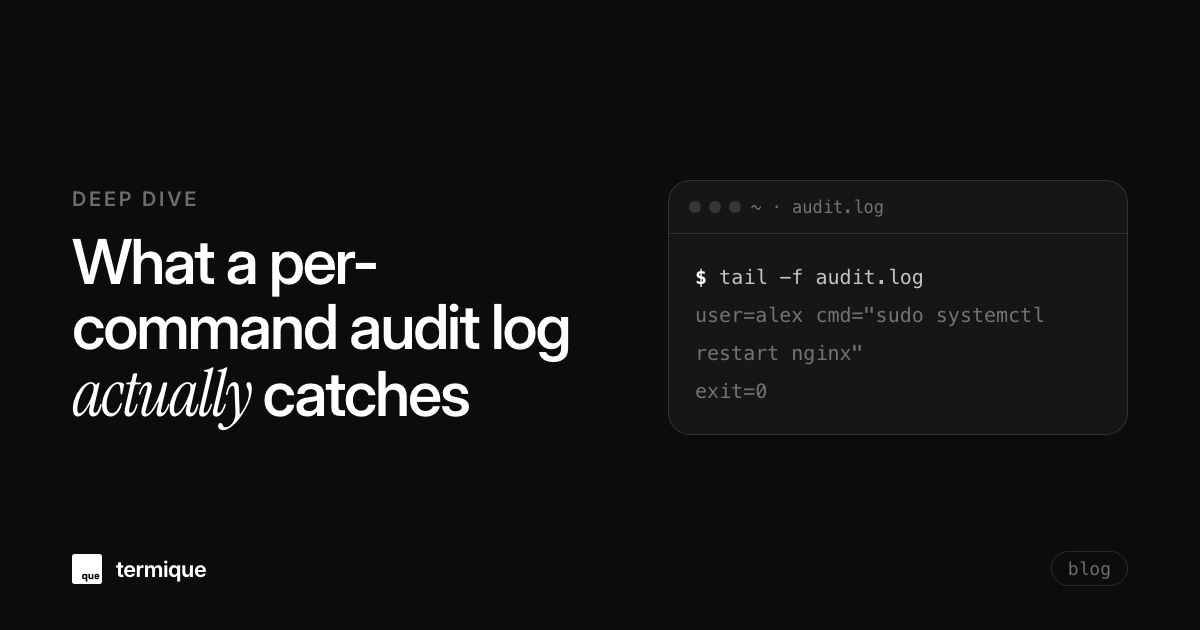
2026-07-14T09:12:03Z user=alex host=db-3 session=sshd:19234 cmd="sudo systemctl restart nginx" exit=0That’s a different unit of record than the two things people usually mean by “SSH logging.” Session-level logging (auth.log, last, lastb) tells you a login happened and when it ended, nothing about what ran inside it. Full TTY or keystroke recording captures everything, every character typed and every byte of output, which is thorough but comes at a cost: it records secrets typed by mistake, output containing credentials or customer data, and enough volume that nobody actually reviews it until something has already gone wrong. Per-command logging sits between the two: enough structure to search and alert on, without the raw session-replay overhead.
What does it catch, specifically?
In practice, a per-command log earns its keep in a small number of recurring situations:
- A destructive command (
rm -rf, a dropped table, a truncated log file) traced to one engineer instead of “root did it sometime that week” - Privilege escalation attempts (
sudo,su -) tied to a real identity, even when the target account is shared - Scope creep: a contractor or teammate with host access running commands outside what they were actually granted the host for
- Post-incident reconstruction: the exact sequence of commands, in order, attributed per person, across everyone who touched the box before and during an outage
Take the last one concretely. A service goes down at 2am. Three people had access to the box in the preceding hour. Without per-command attribution, the incident review starts with “who was on the box” and ends with a guess. With it, the review starts with the actual command sequence: a config change at 1:47am, a restart at 1:52am, the service failing to come back up at 1:53am, each line tied to a name. The difference isn’t just faster resolution, it’s the difference between a review that assigns a fix and one that assigns blame without evidence.
What does it miss?
It’s worth being honest about the edges, because per-command logging gets sold as a complete answer more often than it should be:
- It records that a command ran, not what it returned.
cat secrets.envshows up as a command, not as “this person read the database password” - It’s forensic, not preventive. Logging a command doesn’t stop it from executing, it only guarantees there’s a record afterward
- Shared credentials still defeat attribution at the source. If five people connect through the same static key into the same “admin” account, no logging layer downstream can undo that: the log will just faithfully attribute everything to “admin”
- Logs stored only on the box they were generated on aren’t trustworthy after a root-level compromise. Whoever has the access to cause damage usually has the access to edit or delete the record describing it
Compliance frameworks that ask for this kind of trail, SOC 2 and ISO 27001 audits being the two that come up most, generally care less about which specific tool produced the log and more about whether it consistently answers who, what, and when. Retention windows of six to twelve months are a common ask, driven by audit cycles rather than any technical requirement, and a log with no retention policy behind it doesn’t satisfy that for long, no matter how detailed each individual entry is.
How do you get per-command audit logs when access is genuinely shared?
The fixes here are less about which logging tool you pick and more about what happens before a command ever runs.
The DIY route: auditd and shell history, and where it gets brittle
The default toolkit most teams reach for first is the Linux Audit Framework (auditd) plus shell history. auditd can watch specific binaries at the kernel level, which is harder to evade than anything shell-level:
auditctl -w /usr/bin/sudo -p x -k priv_escalation
ausearch -k priv_escalation --start today
That’s genuinely useful, but it’s still only half the picture on a shared account. Shell history (~/.bash_history) is trivial for a user to clear or disable for their own session, and forwarding every shell to central syslog is its own ongoing maintenance job: someone has to keep the forwarder running, keep the format consistent across every server that gets added, and notice when it silently stops. None of that fixes the underlying problem either, if every command still resolves to the same shared account, auditd will dutifully record that “admin” ran it, same as before.
There’s also a real-time-vs-after-the-fact distinction worth being deliberate about. ausearch and grepping a centralized log are review tools: they answer questions after something has already happened. Alerting on specific watched commands as they run, rather than only reviewing them later, is what turns the same data into something that can shorten an incident instead of just explaining one after it’s over. Most teams start with review and add alerting once they know which commands actually matter to watch in real time.
Give every person their own identity, even behind a shared target account
The single highest-leverage change is also the simplest: stop connecting as a shared account and start connecting as yourself, even when the destination role is shared. Individual keys or SSO-backed logins per person, with the target account resolved after authentication, keep “who” separate from “what account this ran as.” Managing SSH credentials across multiple devices covers the mechanics of giving each person, and each of their devices, their own credential instead of a shared one, which is the prerequisite for any of this to work.
Ship logs off the box they were generated on
A command log that lives only on the server it describes is one root compromise away from being edited or deleted by the same access that caused the problem. Centralizing logs, even just to a second host with a narrower set of people able to touch it, is what turns the log into evidence instead of a suggestion.
Where termique’s per-command audit log fits
This is the specific gap termique’s per-command audit log is built for: on Pro, every command a user runs through termique is tied to their authenticated identity and timestamped automatically, on every connected host, without a separate agent to install or a session-recording proxy to stand up in front of the connection. For a team sharing bastion-style access to the same set of hosts, that removes the step of stitching together who connected (from auth.log) with what they typed (from nowhere, usually) into a single attributable record.
Is a per-command audit log enough on its own?
No, and it isn’t meant to be. It pairs with, rather than replaces, the rest of a shared-access setup: host key verification so the connection itself isn’t spoofed, a real key rotation cadence so a leaked credential has a short shelf life, and awareness of adjacent trust boundaries like SSH agent forwarding’s security risks, where a compromised intermediate host can use a forwarded agent to authenticate elsewhere under someone else’s identity: exactly the kind of cross-hop attribution problem a single host’s command log can’t see on its own. The complete guide to SSH security covers how all of these pieces fit together as one hardening pass rather than a checklist done in isolation.
termique’s per-command audit log ships as part of Pro ($5/month, or $3.33/month billed annually at $40/year), alongside host sharing: a way to grant a teammate scoped access to a specific host without ever handing over the underlying credential, so the audit trail stays attributable down to the person instead of the shared account they’re routed through.