Quick Summary: What You’ll Learn
- The one
ssh-keygencommand most people should run in 2026, and what each flag in it does. - How to choose between Ed25519, RSA, FIDO-backed
-skkeys and the new post-quantum hybridmldsa44-ed25519type that OpenSSH 10.6 enabled. - Why
-a(KDF rounds), a real comment and a passphrase matter more than key size. - The file permissions,
~/.ssh/configlines and fingerprint checks that keep a good key from becoming a bad habit.
Most ssh-keygen best practices guides stop at “use Ed25519”. That’s still the right default in 2026, but it’s only one decision out of five. The key type, the passphrase, the KDF rounds that protect that passphrase, the comment that tells you which laptop the key came from, and where the private key ends up afterwards all decide whether a stolen file is a non-event or an incident. OpenSSH also shipped changes this year that affect new keys, so some older advice is out of date. Every flag below is checked against the current OpenBSD ssh-keygen(1) manual and the OpenSSH release notes.
What is the best ssh-keygen command to run in 2026?
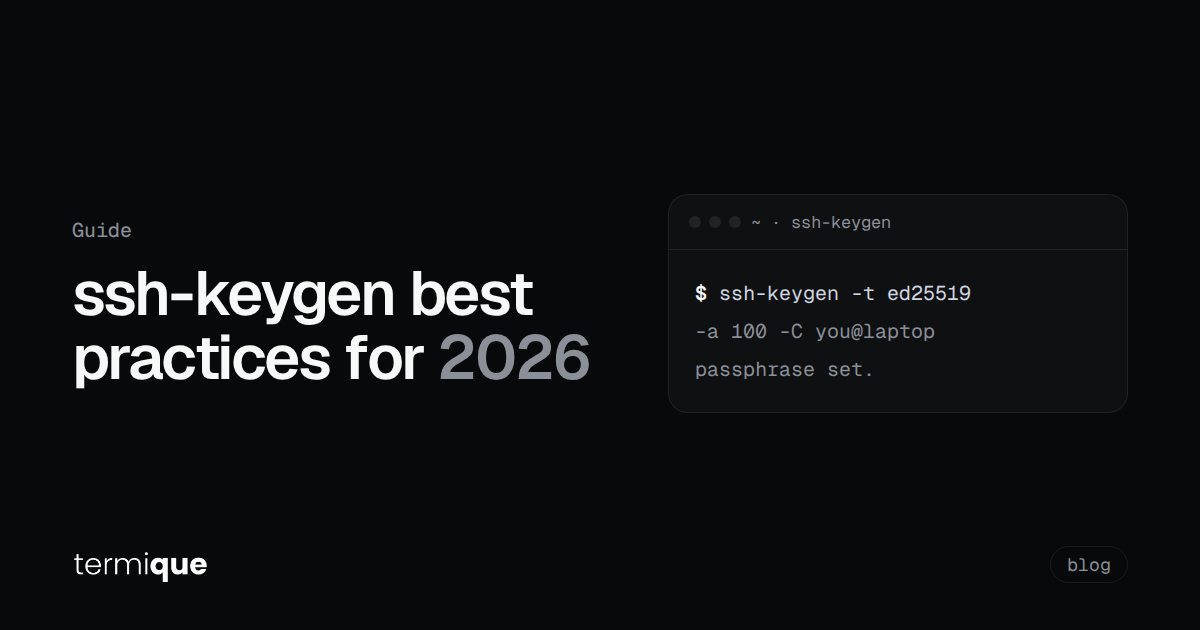
For a personal key on a laptop or workstation, this is a sane default:
ssh-keygen -t ed25519 -a 100 -C "you@laptop-2026-10" -f ~/.ssh/id_ed25519_laptopWhat each part does:
-t ed25519picks the key type. Since OpenSSH 9.5 (October 2023), Ed25519 is whatssh-keygengenerates when you pass no-tat all, so this flag is mostly there to be explicit in scripts and docs.-a 100sets the number of bcrypt_pbkdf rounds used to encrypt the private key with your passphrase. The manual’s default is 32. Higher means slower passphrase checks and slower offline cracking if the file is stolen. More on choosing a number below.-C "you@laptop-2026-10"sets the comment. The default isuser@host, which tells you almost nothing two years later. Put the device and the date in it.-f ~/.ssh/id_ed25519_laptopnames the file, so the key doesn’t silently overwrite an existingid_ed25519.
When it prompts for a passphrase, give it one. The manual’s own guidance is that good passphrases are 10 to 30 characters, not simple sentences, with mixed character classes. A random phrase from a password manager is easier than inventing one.
Which SSH key algorithm should you choose?
ssh-keygen -t accepts ecdsa, ecdsa-sk, ed25519, ed25519-sk, mldsa44-ed25519 and rsa in the current manual. In practice, the choice looks like this:
- Ed25519: the default for new keys. Small public keys, fixed length (
-bis ignored), and supported by OpenSSH since 6.5 (January 2014). Pick this unless something below applies. - RSA: only for systems that can’t do Ed25519 (some network gear, older appliances, a few hosted services). The manual’s default size is 3072 bits and it calls 3072 “generally sufficient”. Many teams use
-b 4096anyway; that’s fine, just slower. - ECDSA: no strong reason to choose it over Ed25519 for user keys today.
-bselects the curve (256, 384 or 521); other values fail. - Ed25519-SK / ECDSA-SK: keys backed by a FIDO authenticator (a hardware security key). The private part never leaves the hardware. Best choice when you have the token and your servers run a modern OpenSSH.
- mldsa44-ed25519: a hybrid signature that combines ML-DSA-44 (a post-quantum scheme) with Ed25519. Read the next section before adopting it.
One thing people still mix up: OpenSSH 8.8 disabled the old ssh-rsa *signature algorithm* (RSA with SHA-1) by default. That did not make RSA *keys* obsolete. The same RSA key signs with rsa-sha2-256 or rsa-sha2-512, and the release notes say exactly that. If an old RSA key stopped working against a new server, the usual culprit is a client or server too old to negotiate SHA-2 signatures, not the key itself.
To see which key types your local OpenSSH supports:
ssh -V
ssh -Q key
Is the post-quantum mldsa44-ed25519 key ready to use?
OpenSSH 10.4 (July 2026) added mldsa44-ed25519 as an experimental, off-by-default composite signature scheme. OpenSSH 10.6 (released 2026-10-06) enabled it as a standard algorithm and dropped the @openssh.com suffix the experimental version used. The release notes are explicit that keys generated with the experimental support must be regenerated.
ssh-keygen -t mldsa44-ed25519 -a 100 -C "you@laptop-2026-10-pq" -f ~/.ssh/id_mldsa44_laptopPractical guidance for now:
- Both ends need an OpenSSH release that understands the new algorithm name. A server on an older release won’t accept the key, so check with
ssh -Q keyon the server side too. - If you generated one of these during the experimental 10.4/10.5 window, regenerate it on 10.6 rather than debugging why it stopped matching.
- Keep an Ed25519 key alongside it. Post-quantum key exchange already protects session traffic against record-now-decrypt-later attacks in recent OpenSSH releases; the signature side matters for a future attacker forging authentication, which is a slower-moving risk. There’s no rush to make the hybrid key your only key.
- Third-party clients, libraries and hosted git services may not parse it yet. Test before you depend on it.
How many -a rounds should you use?
The -a value only matters for keys that have a passphrase. It controls how much work it takes to test one passphrase guess against a stolen private key file. The man page states the default (32) and that higher numbers mean slower verification and more resistance to brute force; it doesn’t prescribe a value.
A workable way to pick one: generate a throwaway key with a candidate value, then time how long unlocking it takes on your slowest machine.
ssh-keygen -t ed25519 -a 100 -N 'test-only-passphrase' -f /tmp/kdf-test -q
time ssh-keygen -y -P 'test-only-passphrase' -f /tmp/kdf-test > /dev/null
rm /tmp/kdf-test /tmp/kdf-test.pub
-y reads the private key and prints the public key, so it has to decrypt the file first. If it takes a fraction of a second, you can go higher. If it’s annoying on every connection, an agent (below) means you only pay it once per session. Don’t type real passphrases on the command line like this; -N and -P end up in shell history. It’s fine for a throwaway test key only.
You don’t need a new key to raise the rounds on an existing one. Changing the passphrase re-encrypts the file and accepts a new -a value (you can keep the same passphrase):
ssh-keygen -p -a 100 -f ~/.ssh/id_ed25519_laptopShould every SSH key have a passphrase?
For keys that live on a laptop or a phone, yes. A passphrase turns “someone copied my ~/.ssh folder” from an immediate compromise into “they have an encrypted file and a lot of guessing ahead of them”. The manual is blunt about the downside: there is no way to recover a lost passphrase. If you lose it, you generate a new key and replace the public key everywhere. Store it in your password manager.
The exceptions are keys that a machine has to use unattended: host keys (the manual says these must have an empty passphrase), and automation keys on CI runners or deploy boxes. For those, compensate on the server side instead. Restrict what the key can do in authorized_keys (a from= source address and a forced command, for example), or use short-lived certificates so a leaked key expires on its own. Our comparison of SSH certificates vs plain public keys covers when certificates are worth the setup.
To stop typing the passphrase on every connection, let ssh-agent hold the decrypted key for the session. In ~/.ssh/config:
Host *
    AddKeysToAgent yes
With AddKeysToAgent yes, the key and passphrase are added to a running agent the first time the key is loaded from a file. If you hit “incorrect passphrase supplied to decrypt private key” along the way, our passphrase troubleshooting guide walks through the usual causes.
When should you use a FIDO hardware key with ssh-keygen?
When the key protects something you’d hate to lose, and you already carry a security key. With ed25519-sk, the file in ~/.ssh is only a key handle. The actual private key sits inside the authenticator and can’t be exported, so copying the file without the hardware gets an attacker nothing.
ssh-keygen -t ed25519-sk -O resident -O verify-required -C "you@yubikey-2026-10"-O residentstores the key handle on the authenticator itself, so you can load it on another computer withssh-keygen -K(orssh-add -K). The manual notes the tradeoff: storing both parts on the device makes a stolen authenticator more useful to an attacker. Resident keys typically require a PIN on the token.-O verify-requiredrequires user verification (currently a PIN) for each signature, not just a touch. Not every authenticator supports it.- By default every signature needs a physical touch.
-O no-touch-requiredturns that off, andsshdrefuses such signatures unless theauthorized_keysentry explicitly allows it. Leave the touch requirement on.
The caveats: the server needs a modern OpenSSH to accept -sk keys, and you should register a second authenticator as a backup, because losing the only token locks you out the same way a lost passphrase does.
How should you name, store and check SSH keys?
Generating the key well is half of it. These habits keep it manageable later.
One key per device. If a laptop is lost, you revoke one public key instead of rotating a key that lives on four machines. The comment is how you tell them apart in authorized_keys, which is why -C "you@laptop-2026-10" beats the default. Our guide to managing multiple SSH keys across devices has a naming scheme that scales past three machines.
Fix a bad comment without regenerating:
ssh-keygen -c -C "you@laptop-2026-10" -f ~/.ssh/id_ed25519_laptopPermissions. ssh(1) ignores a private key file that other users can read, and recommends that ~/.ssh itself is accessible only by you:
chmod 700 ~/.ssh
chmod 600 ~/.ssh/id_ed25519_laptop
chmod 644 ~/.ssh/id_ed25519_laptop.pub
Point each host at the right key. Without this, ssh offers every key in your agent in turn, which can trip a server’s MaxAuthTries before it reaches the right one:
Host prod-bastion
    HostName bastion.example.com
    User deploy
    IdentityFile ~/.ssh/id_ed25519_laptop
    IdentitiesOnly yes
IdentitiesOnly yes tells ssh to use only the configured identity files, even when the agent holds others.
Install the public key, and only that one:
ssh-copy-id -i ~/.ssh/id_ed25519_laptop.pub [email protected]-i makes sure only the key you named gets installed, with the comment from the .pub file, rather than everything in your agent.
Check fingerprints. When you add a key to a server or a git host, compare fingerprints instead of eyeballing base64:
ssh-keygen -lf ~/.ssh/id_ed25519_laptop.pubSHA-256 is the default fingerprint hash. If you lost the .pub file, regenerate it from the private key with ssh-keygen -y -f ~/.ssh/id_ed25519_laptop > ~/.ssh/id_ed25519_laptop.pub.
Plan the rotation now. Put the year in the comment and you’ll know which keys are overdue. Our SSH key rotation best practices post covers how often to rotate and how to do it without locking anyone out, and the team key management guide covers offboarding.
What ssh-keygen advice is outdated in 2026?
- “Generate RSA 2048.” Still accepted by
sshd(theRequiredRSASizedefault is 1024 bits), but there’s no reason to create new 2048-bit RSA keys when Ed25519 is available. - “DSA is fine for old systems.” OpenSSH 10.0 removed DSA support entirely. Any remaining
id_dsakey needs replacing. - “You must pass -t ed25519 or you get RSA.” Not since OpenSSH 9.5; Ed25519 is the default.
- “Use -o for the new key format.” The OpenSSH private key format has been the default for years, and current
ssh-keygendoesn’t list-oin its synopsis at all. Use-m PEMonly when an old tool insists on PEM. - “Post-quantum SSH keys aren’t a thing yet.” As of OpenSSH 10.6 they are, as a hybrid. They’re just early.
Where does termique fit into SSH key management?
termique is a free, native ssh manager we build, with end-to-end encrypted credentials. On the key side, it does a few specific things:
- Generate or import. You can generate
ed25519(recommended) orrsakeys in Settings → SSH keys, or import an existing private key in OpenSSH or PEM format, including passphrase-protected keys. For FIDO-skkeys and the newmldsa44-ed25519type, generate withssh-keygenas shown above. - Encrypted before it’s stored. Private keys are encrypted on your device with a key derived from your master password before they’re written locally or synced. The sync backend stores ciphertext only. Hosts, groups and snippets sync as plaintext metadata, so don’t put secrets in host names or snippets. The security page has the full model.
- Same keys on desktop and phone. Keys sync across macOS, Windows, Linux and iOS, so the key you use from your laptop is available in the mobile app without emailing a private key to yourself.
That last point is a real tradeoff against the one-key-per-device advice above. A synced key is one key on several devices: convenient, and protected by end-to-end encryption, but a lost phone means rotating that key everywhere it’s authorized. If your policy is strictly one key per device, generate a separate key on each device instead; termique handles both, and the comment you set still tells you which is which.
FAQ
What is the most secure SSH key algorithm in 2026?
For everyday use, Ed25519 backed by a FIDO authenticator (ed25519-sk), because the private key can’t be copied off the hardware. Without a hardware key, plain Ed25519 with a strong passphrase. The mldsa44-ed25519 hybrid adds post-quantum resistance to signatures, but needs OpenSSH 10.6 on both ends and isn’t widely supported outside OpenSSH yet.
Is RSA 4096 better than Ed25519?
Not in any way that matters for most users. RSA 4096 is secure, but keys and signatures are much larger and slower. The manual considers 3072-bit RSA sufficient. Use RSA only for systems that can’t handle Ed25519.
How do I add a passphrase to an existing SSH key?
Run ssh-keygen -p -f ~/.ssh/your_key. It prompts for the old passphrase (press Enter if there is none) and the new one twice. Add -a 100 to raise the KDF rounds at the same time.
Should I use the same SSH key on every computer?
Usually not. One key per device means a lost laptop costs you one revocation instead of a rotation across every server. Syncing one key across devices with end-to-end encryption is a valid choice for convenience, as long as you accept that losing any of those devices means rotating it.
What does the -C flag do in ssh-keygen?
It sets the key’s comment, which is stored in the private key file and appended to the public key line in authorized_keys. It has no security effect, but a comment like you@laptop-2026-10 tells you which device and year a key belongs to when you audit a server.
Try termique free
If you want your keys, hosts and snippets on every machine you use, with private keys end-to-end encrypted before they leave the device, download termique and start on the free plan.