You import a passphrase-protected SSH key into a client, an SFTP app, a CI runner, a GUI SSH manager, anything but the plain ssh binary, and authentication just fails. No prompt for the passphrase, no “wrong password” message, just a flat “permission denied (publickey)” or “all configured authentication methods failed.” Meanwhile the exact same key, with the exact same passphrase, connects without complaint from a terminal running ssh directly.
That gap, works from the command line but not inside the app, is the tell. When an SSH key passphrase is not working in one specific tool while the OpenSSH client handles the same key fine, the problem is almost never your memory of the passphrase. It is how that tool reads the key file. This is a narrower, more mechanical bug than it looks, and it is worth understanding exactly what breaks, because the fix, and the workaround if you are stuck on a broken client today, both follow from it.
Why won’t a passphrase-protected SSH key authenticate?
A private key file, whether classic PEM or the newer OpenSSH format, is really two things: the raw key material, and, if you set a passphrase when you generated it, a layer of encryption wrapped around that material. The passphrase is never compared against a stored hash sitting next to the key. It is fed into a key derivation function, bcrypt_pbkdf for OpenSSH-format keys, a simpler hash-based scheme for legacy PEM keys, that produces the actual decryption key on the spot. Get the passphrase right, and that function produces bytes that successfully decrypt the file into a usable private key. Get it wrong, or never supply it at all, and decryption fails outright.
Client libraries that parse private keys almost always expose this as an explicit argument, something like decode_secret_key(key_bytes, passphrase), where the passphrase is optional because plenty of keys have none. That optionality is exactly where this bug hides. An unencrypted key parses fine whether or not you pass a passphrase, since there is nothing to decrypt. So a code path tested only against unencrypted keys can hardcode that argument to empty or absent, and every test still passes. The bug only shows up the first time a real user brings a key that actually has a passphrase, and by then it has already shipped.
The failure is misleading, whether by accident or not: a hardcoded empty passphrase does not throw a “passphrase required” error. It throws whatever generic error the library raises when decryption fails, which usually surfaces to the user as a plain authentication failure. It looks exactly like a wrong password, even though the correct passphrase was never actually tried.
How can you tell if your SSH key actually needs a passphrase?
Before blaming a client, confirm the key’s own state. Eyeballing the file header is not reliable, both encrypted and unencrypted OpenSSH-format keys start with the same -----BEGIN OPENSSH PRIVATE KEY----- line. The reliable test is to ask ssh-keygen to derive the public key while forcing an empty passphrase:
ssh-keygen -y -f ~/.ssh/id_ed25519 -P ''If the key has no passphrase, this prints the public key immediately. If it does have one, you get Load key "...": incorrect passphrase supplied to decrypt private key, confirming the key is encrypted and that an empty string is not the answer. Run it again without -P '' and ssh-keygen will prompt you for the real passphrase and print the public key once you provide it. That is your baseline: the key works, and you know the exact passphrase that unlocks it.
How do you diagnose a client that silently rejects a passphrase-protected key?
With a known-good key and passphrase in hand, test the same connection from a terminal as a control group:
ssh -vvv -i ~/.ssh/id_ed25519 user@hostIf this connects, after prompting you for the passphrase or pulling it from an agent, the key, the server’s authorized_keys entry, and any server-side restrictions are all fine. The bug is entirely in the app that failed. Go back to that app and check one specific thing: did it ever ask for the passphrase at all? A client that takes a passphrase-protected key and fails without ever prompting you is telling you it never tried to use the passphrase in the first place, the exact signature of the hardcoded-empty-passphrase bug above.
- Check the tool’s changelog or issue tracker for the word “passphrase”: this bug class is common enough that most actively maintained SSH tools have fixed a version of it at some point
- If the app supports pointing at an external
ssh-agentinstead of reading the raw key file itself, try that path. Agent-based auth sidesteps the app’s own decode code entirely - If you’re stuck on a broken client and need to connect right now, you can strip the passphrase from a throwaway copy of the key with
ssh-keygen -p -f ./id_ed25519_temp -N "", use it once, then delete the copy immediately. Never leave an unencrypted private key sitting on disk
How do you stop retyping your SSH passphrase every session?
Assuming the client works correctly, the next friction point is real too: typing a passphrase every time you open a new terminal gets old fast. The fix is not to remove the passphrase. It is to cache the already-decrypted key behind something the operating system controls, so you unlock it once per session, or once ever, instead of once per connection.
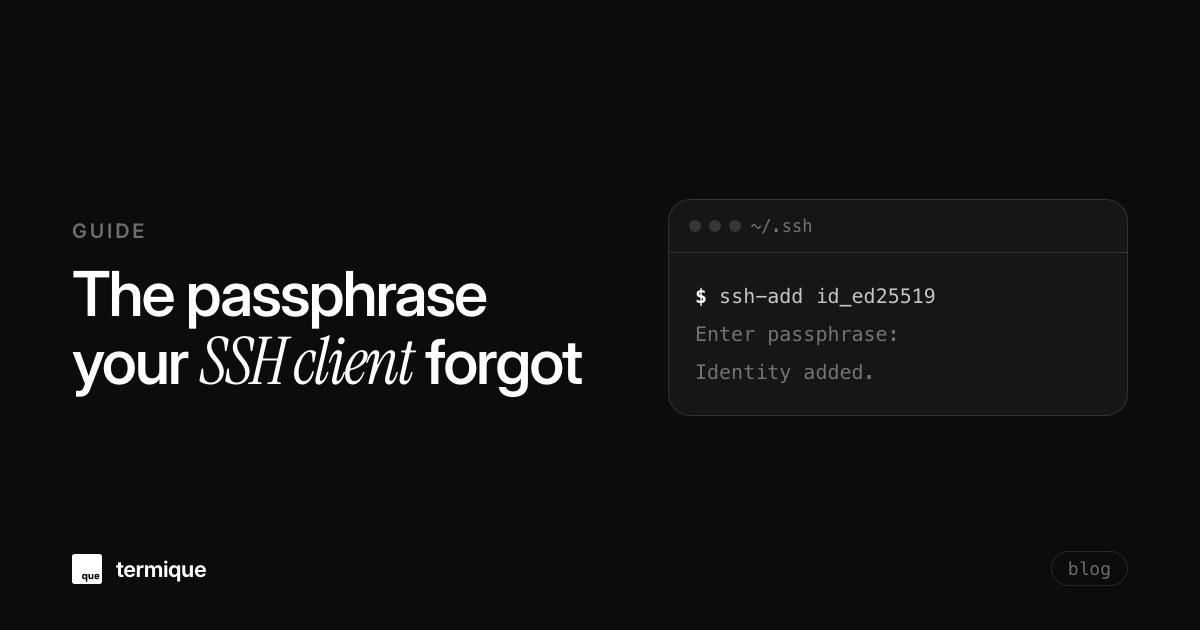
ssh-agent is the baseline mechanism, and it ships with OpenSSH on every platform. Start one and load your key into it:
eval "$(ssh-agent -s)"
ssh-add ~/.ssh/id_ed25519
You are asked for the passphrase exactly once. Every ssh or scp command afterward, for as long as that agent process lives, uses the already-decrypted key from the agent’s memory instead of reading and decrypting the file again. The agent never writes the passphrase, or the decrypted key, to disk.
macOS: keychain-backed agent
A plain ssh-agent dies with your session, so macOS gives you a way to persist the unlock across reboots without persisting the passphrase in a plaintext file. Add the key to the system keychain once:
ssh-add --apple-use-keychain ~/.ssh/id_ed25519Then tell SSH to use the keychain on every future login, in ~/.ssh/config:
Host *
  UseKeychain yes
  AddKeysToAgent yes
  IdentityFile ~/.ssh/id_ed25519
From then on, macOS decrypts the key into the agent automatically at login, using a keychain entry that is itself encrypted and gated behind your OS login. The passphrase is stored, but inside Apple’s encrypted keychain, not in a plaintext config file.
Windows: the built-in OpenSSH agent service
Windows 10 and later ship an OpenSSH Authentication Agent as a system service, off by default. Turn it on once, as an administrator:
Get-Service ssh-agent | Set-Service -StartupType Automatic
Start-Service ssh-agent
ssh-add $env:USERPROFILE\.ssh\id_ed25519
The service persists loaded keys across terminal sessions the same way the Unix agent does, backed by Windows’ own credential isolation rather than a process you have to remember to start.
Linux: gnome-keyring or a persistent agent
Most desktop environments, GNOME and KDE with ksshaskpass among them, auto-start an agent tied to your login session. Check with echo $SSH_AUTH_SOCK: if it prints a path, one is already running and ssh-add will use it. Headless boxes, WSL, and tmux sessions do not get this for free. The common fix is the keychain shell script, which finds or starts a single long-lived agent and re-exports its socket into every new shell, instead of prompting once per terminal tab.
Notice the pattern across all three platforms: none of them store your plaintext passphrase in a file you could cat. They store either the already-decrypted key behind an OS-owned process (the agent) or a secret inside a store the OS itself encrypts (Keychain, Credential Manager, gnome-keyring), unlocked only by your own login session. That distinction, decrypted key behind a gate versus plaintext secret in a file, is the same one worth checking when you’re evaluating how any tool that manages your SSH keys across devices claims to keep them safe.
Does the same approach work for an app’s own master password?
SSH key managers, password managers, and anything else gated behind a single master password run into an identical UX problem: prompt on every launch, or offer some kind of “remember me” that has to be genuinely safe rather than just convenient. The wrong implementation caches the plaintext master password, or the raw decryption key it unlocks, in a local config file or a plain preference store, where anything with filesystem access can read it.
The right implementation mirrors the ssh-agent and keychain pattern exactly. As the wrapped-key structure behind end-to-end encrypted credential storage already establishes, your master password derives a key, a KEK, or key-encryption-key, and that KEK is used only to wrap and unwrap a separate data-encryption key (a DEK) that actually protects your stored credentials. An opt-in “skip the password on startup” feature just has to answer one question safely: where does the KEK live between launches, so the app can unwrap the DEK automatically? The safe answer is the same OS-native secure store used for SSH passphrases above. Not a config file, not a database column, not anywhere the app’s own process would touch on a routine read.
termique shipped both of these fixes in the same release, v0.6.3. A passphrase-protected key that imported cleanly but then failed both password and key authentication turned out to be a decode call in the Rust SSH backend that hardcoded no passphrase at all, exactly the bug pattern described above, reported by a user going by Zhudan (蛋朱) after every other SSH client handled the same key without issue. And the “skip password on startup” option is opt-in and off by default: enabling it stores only the derived KEK in the OS’s own encrypted credential store, Keychain on macOS, Credential Manager on Windows, Secret Service on Linux, never the master password itself, and turning it off or signing out clears that entry immediately. A user going by Zitann had asked for exactly this, tired of re-entering a master password on every cold start.
Getting both problems fixed without extra tooling
If you’re rolling out passphrase-protected keys across more than one machine or a small team, it’s worth reading through SSH key management for teams for the broader picture beyond a single client bug. And if you want an SSH client that imports encrypted keys correctly and lets you skip the master password prompt safely, rather than never having one at all, grab a build of termique and check Settings > Security for the auto-unlock toggle. It stays off until you turn it on, and turning it off again removes the stored key immediately.