The problem with one shared server, many clients
If you’re a freelancer, small agency, or hosting a handful of client projects off one VPS, you probably didn’t plan the SSH setup, you just added another user each time a client signed on. That works fine for the first two clients. By the fifth, you’ve got shared history files, one root-capable account everyone borrows “just for now,” and no real answer to “who ran that command on client B’s server last Tuesday.” Building secure multi-tenant SSH infrastructure from the start, rather than retrofitting it after an incident, is the difference between a shared server you can defend in an audit and one you’re hoping nobody looks at too closely.
The stakes are concrete. A compromised or misconfigured shared account can expose one client’s database credentials to another client’s project. And if you can’t produce a log of who accessed what and when, you can’t answer a client’s security questionnaire, let alone a real incident review.
What is secure multi-tenant SSH infrastructure?
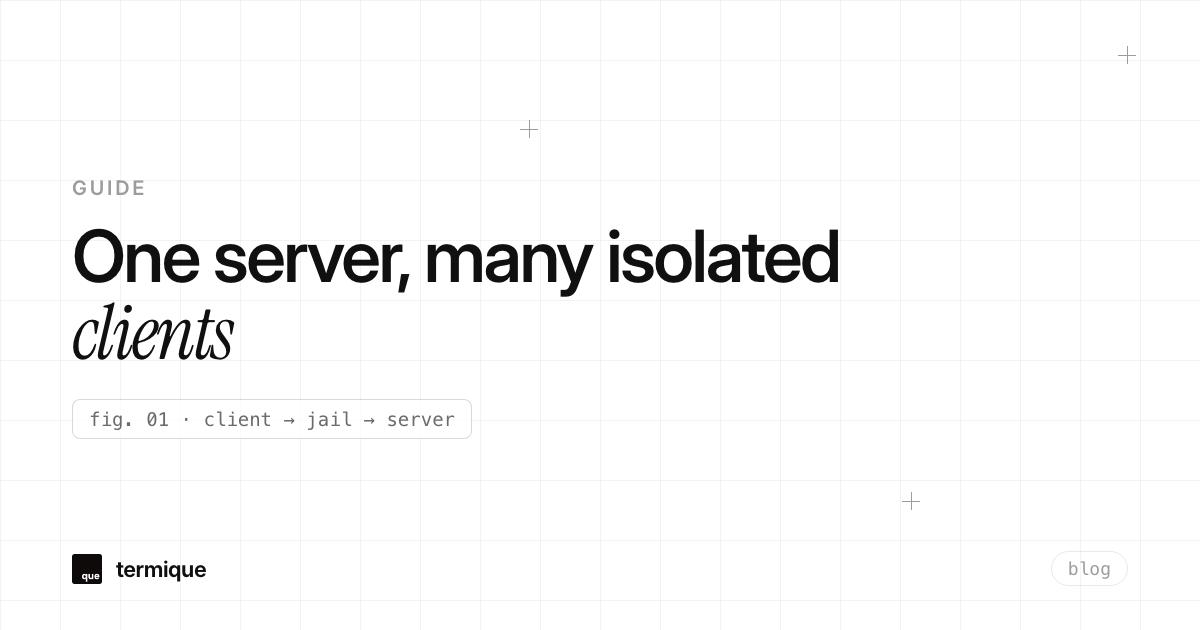
Secure multi-tenant SSH infrastructure means every client (or tenant) gets access that’s isolated at the filesystem, process, and audit level, not just a different username layered on top of the same permissive defaults. In practice that’s four things working together: distinct Linux accounts per client, filesystem boundaries that prevent cross-tenant reads, authentication that’s scoped per tenant instead of one shared key or password, and a log that ties every command back to a specific person and client.
Get any one of those wrong and the others stop mattering. A chroot jail doesn’t help if every tenant connects with the same shared SSH key. Per-tenant keys don’t help if the tenant’s Linux user still has read access to /home/other-client. All four layers have to hold at once.
Isolation at the OS layer vs. the application layer
It helps to separate two different isolation problems. OS-layer isolation is what this article is mostly about: Linux users, groups, file permissions, chroot, and SSH access controls that stop one client’s SSH session from touching another client’s files or processes. Application-layer isolation is a separate concern, how your app code, database, and containers keep tenant data apart, and it’s out of scope here. The two need to agree with each other. It doesn’t help to run a well-isolated multi-tenant application on top of a Linux box where every client’s SSH user still has passwordless sudo.
Isolating clients with per-tenant Linux users and groups
Start with the part most shared servers get wrong first: one Unix user and one group per client, never a shared account. Skip generic names like client or deploy that get reused across tenants, since a reused account name is the first thing that makes an audit trail useless. Give each client’s user a home directory nobody else can read, and put the client’s files under a directory owned by that user and group only.
sudo groupadd client-acme
sudo useradd -m -g client-acme -s /usr/sbin/nologin client-acme
sudo mkdir -p /srv/clients/acme
sudo chown client-acme:client-acme /srv/clients/acme
sudo chmod 750 /srv/clients/acme
The shell is set to /usr/sbin/nologin deliberately for clients who only need file transfer, not an interactive shell. Mode 750 keeps the directory unreadable to other users on the box while still letting the owning group work inside it. Repeat this pattern per client rather than reusing one group for everyone, groups are cheap and isolation only works if each one actually means something.
Chroot jails and ChrootDirectory for SFTP-only clients
Most client access on a shared server is file transfer, not a shell session, which makes OpenSSH’s built-in ChrootDirectory directive the simplest isolation win available. It changes what a connecting user’s filesystem root looks like, so a client dropped into /srv/clients/acme can’t see, list, or read anything outside it, including other clients’ directories or the rest of the system.
Match Group client-acme
    ChrootDirectory /srv/clients/acme
    ForceCommand internal-sftp
    AllowTcpForwarding no
    X11Forwarding no
One detail trips people up every time: the chroot directory itself, and every directory above it in the path, must be owned by root and not writable by the chrooted user, or sshd refuses to start the session. Give the client a writable subdirectory inside the jail (/srv/clients/acme/uploads, owned by the client’s own user) rather than making the jail root itself writable.
Resource limits per tenant so one client can’t starve another
Isolation isn’t only about who can read what, it’s also about who can consume what. On a shared server, one client’s runaway backup script or a stuck build process can eat all available RAM or CPU and take every other client down with it, the classic noisy-neighbor problem. Per-tenant ulimit settings and cgroup limits keep that contained to the one account that caused it.
@client-acme soft nproc 100
@client-acme hard nproc 150
@client-acme soft as 2097152
@client-acme hard as 2621440
For anything running as a systemd service or a long-lived process rather than an interactive login, a cgroup v2 slice with MemoryMax and CPUQuota set per client is a more reliable backstop than ulimit alone, since it survives across the client’s individual processes rather than being scoped per shell session.
Do you need a bastion host for multi-tenant SSH infrastructure?
If you’re running a single shared VPS for a handful of clients, a dedicated bastion host is probably overkill, the per-tenant user and chroot setup above already covers most of the risk. The calculation changes once you’re managing three or more separate client servers, because at that point you have a matrix problem: which engineer has which key to which box, and no single place to look when you need to revoke one person’s access everywhere at once.
Jump-host architecture for agencies managing many client servers
The fix is a single hardened jump host that’s the only server exposed to the public internet. Each client’s actual server only accepts SSH connections from the jump host’s private IP, over a VPN or private network, never from the open internet directly. Anyone on the team connects to the jump host first, then hops to the target client server from there, which gives you one choke point for logging, key rotation, and revocation instead of one per client server.
Host jump
    HostName jump.agency.example
    User ops
    IdentityFile ~/.ssh/agency_jump_ed25519

Host acme-prod
    HostName 10.20.0.14
    User deploy
    ProxyJump jump
    IdentityFile ~/.ssh/client_acme_ed25519
Note the separate identity files: the jump host key and the per-client key are never the same key. Losing the jump host key should not, by itself, hand over access to every client server behind it.
Locking down authentication: keys, certificates, and per-client scoping
Ed25519 is the sane default for new keys in 2026, and password authentication and root login should already be off across every box in the fleet. These are the same baseline rules covered in termique’s complete guide to SSH security, and multi-tenancy adds exactly one more rule on top of them: never let two different clients’ access resolve to the same key or the same account, even temporarily during a handoff.
For a solo operator with two or three clients, one keypair per client is enough. For an agency where several engineers each need access to several client servers, distributing individual public keys to every server stops scaling fast, every new hire or offboarding is a multi-server authorized_keys edit. An internal SSH certificate authority solves that: you sign a short-lived certificate per engineer scoped to a specific client (a “principal”), and revoking access means letting the certificate expire or pulling it from a revocation list, not editing files on every server that person could reach.
Why audit logs matter more once clients share one server
Shell history is not an audit log: it’s per-user, it’s editable by the user it belongs to, and it disappears the moment someone clears it or the session is force-killed. Once multiple clients, and often multiple engineers, are touching one shared server, you need something that ties a specific command to a specific identity and timestamp, independent of anything the connecting user can edit, whether that’s auditd rules on commands, forwarding session logs to a separate syslog host, or a purpose-built per-command audit trail.
This matters as much for your own team’s credential hygiene as it does for the servers themselves. If several people are connecting to several clients’ infrastructure from their own laptops, keeping track of whose key belongs to which client gets messy fast, which is exactly the problem covered in managing SSH credentials across multiple devices.
A practical isolation checklist for agencies and hosting teams
- One Linux user and one group per client, never a shared or generic account
- ChrootDirectory (or an equivalent bind mount) so SFTP-only clients can’t see outside their own directory
- A distinct key or certificate per client, never one shared keypair reused across tenants
- Password authentication and root login disabled globally, not just for client accounts
- Per-client resource limits (ulimit and/or cgroups) so one client’s runaway process can’t starve the others
- A jump host once you’re managing more than a couple of separate client servers
- A per-command audit log tied to a real identity, not just shell history
- A written offboarding step: what happens the day a client relationship ends, user deleted, key or certificate revoked, any shared secret they touched rotated
Where termique fits in a multi-tenant SSH workflow
termique doesn’t replace the OS-level isolation above, that’s still your sshd_config and your Linux accounts. What it replaces is the loose spreadsheet-and-memory system most small teams end up with around it: host groups and tags keep client servers organized instead of one long undifferentiated list, an SSH key vault keeps each client’s private key out of a shared project folder, and a per-command audit log is on by default rather than something you have to wire up yourself with auditd. See deploying a client’s app on a shared VPS for a concrete look at the kind of setup this workflow is built for.
termique is free to start, with 3 hosts and unlimited PTY sessions on the free plan. Host sharing and audit logs, the two features most directly useful once you’re handing individual client access to teammates instead of one shared root login, come with Pro at $5/month.