Someone asks for an audit trail of what happened on a shared server, and the conversation immediately gets vague. “We have logs” usually means a mix of bash history, sudo entries, and maybe some SSH session transcripts that nobody has ever replayed. There is a real spectrum of session logging options, and each layer proves a different part of the story.
What each logging layer actually captures
- Shell history: commands the user typed, with caveats about shells that do not write it and history that gets cleared.
- sudo journal: privileged commands, with the invoking user, timestamp, and working directory.
- Per-command logging: every command executed over the session, captured by the SSH layer rather than the shell.
- Full session recording: the entire terminal output, keypresses or text, replayable end to end.
Why shell history is not an audit trail
Bash history is written by the shell, on the user’s own schedule, and routinely disabled or cleared in CI and shared environments. It is also trivially erased by the person who owns the incident, which makes it useless as evidence. As a debugging aid it is fine. As an audit trail, it fails the most basic requirement: you cannot prove nothing was deleted.
The distinction between debugging logs and audit logs matters more than most people think. Debugging logs are allowed to be incomplete, because their job is to help the person who was there. Audit logs must be tamper-resistant and complete, because their job is to reconstruct what happened for someone who was not there. Judging a logging option by “can I debug with it” leads straight to the false comfort of a shell history file.
The syslog entries generated by sudo are more durable, since they are written by a separate privileged process. But they only cover privileged commands. An attacker who never escalates, or a contractor who only runs read-only queries, leaves nothing in the sudo journal at all.
Per-command logging: the middle ground
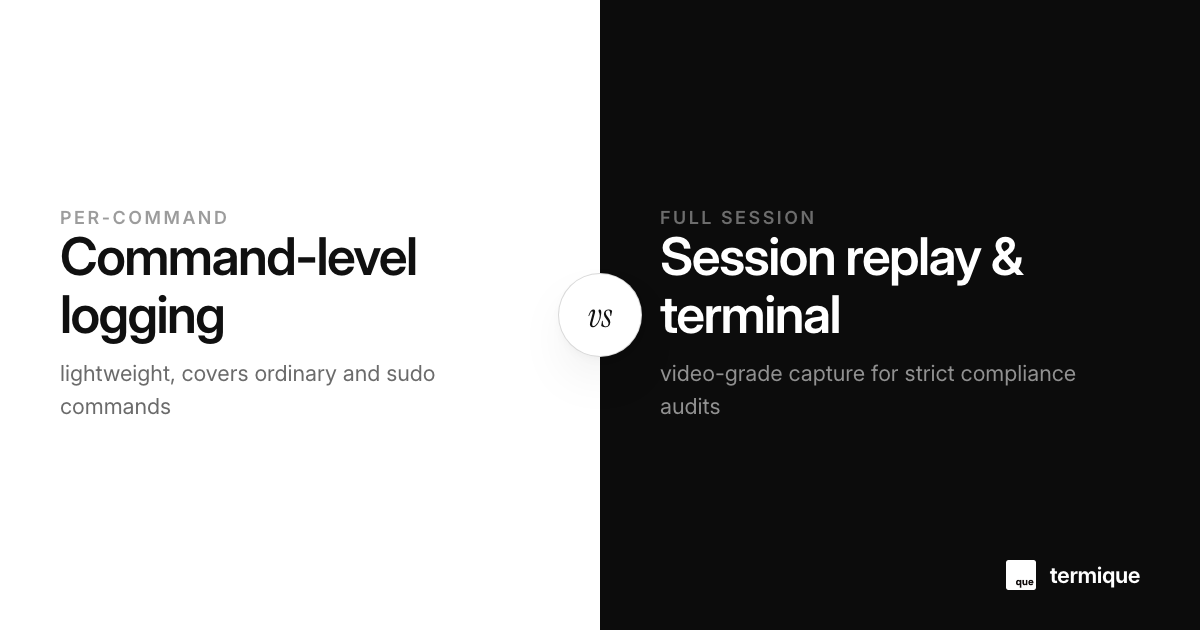
The sweet spot for most teams is logging every command at the SSH layer, regardless of whether it used sudo. Because the record is produced by the server as commands flow through the session, it covers ordinary and privileged commands alike, and it is not under the user’s control. The concept is the same one explored in what a per-command audit log actually catches, including the limits: it records the command text, not necessarily the full terminal output.
The per-command approach also solves the identity problem in a way shell history cannot. If the record is associated with the SSH session and the user that authenticated, then “who ran this” has a real answer. The catch is you still need per-user accounts rather than a shared admin login, because a log that says “root ran it” is only useful when root means one person. The compliance-ready access policy starts from that same assumption.
Full session recording, and when you need it
Full session recording is the heavyweight option: every keystroke and every line of output, stored for replay. Products like ttyrec, script, and the session recording built into commercial PAM layers broadly do this. It proves not just what commands ran but what the terminal showed and, in some implementations, what the user actually typed versus what was echoed back.
The cost is storage, latency, and privacy friction. Full recordings contain everything, including secrets typed into prompts, and every recording is a liability as much as it is evidence. Teams that need it usually have a compliance reason, which is why the discussion shows up in SOC 2 audit trail requirements and similar regimes.
There is also a practical middle version between per-command logging and full video-grade replay: a text transcript that captures every line of terminal output without mouse-level input recording. It doubles storage over command-only logging but stays cheap, and it answers the “what did the screen actually show” question that a command log cannot.
Matching the option to the requirement
- “Who broke prod yesterday?” → per-command logging, cheapest and usually enough.
- “Prove every command ever run on this box” → per-command logging plus sudo journal, exports cleanly.
- “Replay exactly what the contractor saw” → full session recording, with storage and privacy costs accepted.
- “Pass an audit” → the requirement usually names a specific proof. Build to that, not to maximalism.
The “pass an audit” row deserves emphasis, because it is where teams overpay. A SOC 2 control usually asks for evidence that changes were authorized and reviewable, not that every keystroke was filmed. Reading the control text and mapping it to the cheapest logging layer that satisfies it is a legitimate cost decision, not a shortcut.
How access policy shapes logging value
Logging is only as good as the access model around it. If everyone logs in as the same shared account, the per-command log proves a command ran but not who ran it, which guts the audit value. The compliance-ready access policy guide builds the user model first, then the logging layer becomes meaningful.
And when access review season comes, logs are what make the review concrete instead of a spreadsheet exercise. The SSH access review guide ties the two halves together: decide who should have access, then use the logs to confirm the reality matches.
One implementation note for the user-model-first approach: per-command logging tied to identities also feeds the review loop. The quarterly question “has anyone who left still got a key?” becomes answerable from the logs, because the logs only make sense per user. The audit trail and the access review are not two projects, they are one project with two views.
How to set up per-command logging on a stock OpenSSH server
The per-command layer does not need a commercial product. A common lightweight approach is to wrap the login shell so each command line is appended to a per-user log with a timestamp. It is not bulletproof against a determined attacker who can edit files, and it is not a full session recording, but for the “who ran what on a shared box” question it is a large step up from shell history at near zero cost.
The identity problem underneath all logging
Every logging layer above assumes you know who was in the session. Shared accounts quietly destroy that assumption: if three people log in as deploy, a perfect session recording still cannot say which human ran the destructive command. The least glamorous and most important logging decision is the one that forces per-person accounts. Everything else, from command logs to session replay, is built on that foundation. An audit that cannot attribute an action to a person is not an audit.
Log rotation and retention: the part everyone forgets
Logging is a pipeline, not a pile. Decide how long each layer is kept, rotate the files before they eat the disk, and archive the ones that must survive for evidence. A full session recording stored forever is a liability; a per-command log retained for exactly your compliance window is an asset. The retention policy belongs in the same document as the access policy, because the two together define what your audit trail actually is.
Centralizing SSH audit logs with rsyslog and Vector
Leaving audit logs on the local server filesystem is an audit compliance anti-pattern: an intruder with root access can tamper with local log files to hide their tracks. Production compliance requires shipping command and auth events to a remote, append-only log aggregator in real time:
# /etc/rsyslog.d/50-ssh-audit.conf
# Stream authpriv and daemon logs via TLS to remote collector
authpriv.* action(type="omfwd" target="log-collector.internal"
                  port="6514" protocol="tcp"
                  StreamDriver="gtls" StreamDriverMode="1"
                  action.resumeRetryCount="-1")
Because the remote log server has append-only storage permissions, historical command logs cannot be altered even if the originating server experiences full kernel privilege compromise, providing the immutable audit trail demanded by SOC 2 and ISO 27001 auditors.
Handling sensitive data and secret masking in audit logs
One of the thorniest challenges of terminal session recording and command logging is avoiding the accidental capture of database passwords, API tokens, and private keys entered on the command line or passed as environment variables. Without sanitization, your audit trail itself becomes a high-value attack target:
# Mask sensitive CLI arguments using regex filters in your syslog forwarder:
# Replace patterns like --password=XYZ or API_KEY=XYZ with [REDACTED]
s/(--password[= ]|API_KEY[= ])([^ ]+)/$1[REDACTED]/g
Encouraging engineers to pass credentials through environment files or secret managers rather than inline CLI flags is the primary architectural defense. For interactive tools, configuring session recorders to suppress output during password prompts prevents plain-text credentials from landing in searchable compliance vaults.
The takeaway
- Shell history is debugging material, not evidence.
- Per-command logging at the SSH layer covers ordinary and privileged commands.
- Full session recording buys replayability at real storage and privacy cost.
- Pick the layer that proves your actual requirement, then make access identity per-user.
An audit trail starts with knowing who logged in and what they ran. termique is a free SSH manager we build, and its Pro plan ships a per-command audit log with timestamp and host for exactly this layer of accountability. termique.app, if you are curious.