You type ssh user@host and instead of a shell you get one of two messages: Connection refused or a hang that ends in Connection timed out. They look like the same failure. They are not. They point at opposite ends of the network path, and fixing the wrong one wastes an afternoon.
What is the difference between connection refused and timeout?
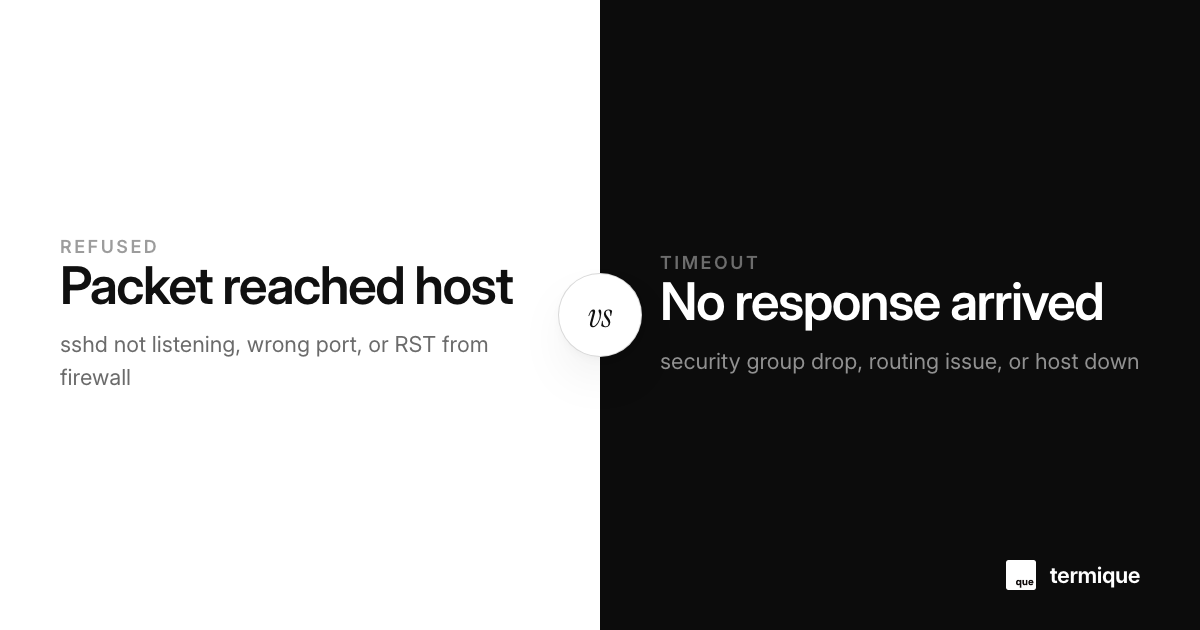
Connection refused means your packet reached the target machine and an active network stack answered with a rejection. The box is up, the network path works, but nothing is accepting connections on port 22. Timeout means your packet is still looking for a response when you give up. The machine is unreachable, the port is filtered, or the route is broken somewhere in between.
The key difference: refused is an answer, timeout is no answer. That single distinction narrows the diagnosis from an entire stack of possibilities down to two small sets of causes.
There is a third, less common case worth knowing: Operation timed out can also appear from a host that is up but whose firewall silently drops packets to port 22, a behavior called DROP rather than REJECT. In that case you get the timeout symptom even though the machine is fully alive, which is why the diagnosis path below includes a firewall check.
Why does SSH say connection refused?
- The SSH service is not running, or it died after boot.
- sshd is listening on a different port than the one you are connecting to.
- sshd is bound to a specific interface, and you are hitting a different one.
- Host-based firewall policies are returning RST instead of dropping.
On the box, check the service state and the actual listener, not the config you think is applied:
systemctl status sshd
ss -ltnp | grep :22
If nothing listens on port 22, start the service and re-check. If something listens on 2222 instead, either your config points elsewhere or a previous admin changed the port. If ss -ltnp shows the listener bound to a loopback address, remote clients cannot reach it, which is a different flavor of the same refusal.
A refused connection can also come from a service that crashed after boot but left its PID file, so the init system believes it is running. Restarting it usually clears that immediately. The important habit is to trust ss output over systemd’s opinion, because the listener is what actually accepts connections, not the service’s stated status.
Why does SSH time out instead?
- The host is down, or the instance never finished booting.
- A firewall or security group is dropping packets instead of rejecting them.
- The route to the host is broken, or the IP changed.
- Vendor-level protection is silently blocking your source IP.
Timeouts in cloud environments often trace back to a security group that allows the web port but not 22, or allows SSH only from a specific CIDR that no longer includes you. On instances behind a load balancer or a NAT gateway, a wrong target group or a stale route produces the same symptom.
nc -vz host 22
# nc: connect to host port 22 (tcp) failed: No route to host
Also confirm you are testing the right address. A host that used to work but now times out on the old IP should be re-resolved; the record may have moved and your SSH config may still use the stale value. If you rely on a well-organized SSH config, the alias is easy to update once.
A 10-minute diagnosis path
Minute 1: read the error string. Refused and timeout are not interchangeable, so take the one you got literally. Minute 2-3: test with nc or telnet to the port to confirm the error is reproducible outside SSH itself. Minute 4-5: if it is refused, get on the box through any available out-of-band console and check systemctl status sshd plus ss -ltnp. Minute 6-8: if it is timeout, verify the address, the route, and any firewall or security-group rules along the path. Minute 9-10: if you changed a firewall rule, wait for it to apply and retest end to end.
The out-of-band console is the crucial trick most people forget. Cloud providers give you a web console or a serial port that does not depend on SSH, which is exactly what you need to look at sshd while the network path is broken. The moment you can see the listener and the firewall from the console, the diagnosis is over.
What a hang that ends in timeout means on AWS and similar clouds
The classic AWS variant is a security group that allows inbound 22 from your office IP, but you are now connecting from a different IP, or the instance has no public IP at all and your client holds the connection open waiting for a reply that never comes. The AWS-specific debugging flow is covered in how to debug the SSH timeout on EC2.
The cause is often not the machine, but the network boundary around it. Treat timeout as a signal about the route, not about SSH.
Why the error you get depends on the firewall’s policy
Firewalls can answer a connection attempt in two ways. A policy that rejects sends back an RST packet, which produces connection refused, even though it is the firewall and not sshd doing the refusing. A policy that drops simply ignores the packet, and you wait until the client’s connect timeout expires. So the exact wording of the error is colored by the middle of the path, not only by the server. This is why the same broken host can produce refused from one network and timeout from another.
When you control the firewall, decide which behavior you want on purpose. DROP for unknown sources is quieter and slightly more private, but it makes debugging slower, because a typo in a rule then looks identical to a down host. REJECT is friendlier to your future self and to contractors who report a misleading message instead. Whatever you choose, document it, because the semantics of the error message depend on it.
Refused, timeout, and the lessons for your SSH setup
Both failures get easier when you can see the machine from the moment it boots. Being able to check a service, confirm a listener, or verify a bind address in seconds is exactly the kind of task an SSH manager exists for. Knowing which end of the path failed is more than half the fix. If you want the broader context to keep the machines reliable, the Linux server monitoring guide is a solid next read.
The next time an error message says refused or times out, stop treating them as the same problem. The message itself already told you which half of the network to blame.
Why the error you get depends on the firewall’s policy
Firewalls can answer a connection attempt in two ways. A policy that rejects sends back an RST packet, which produces connection refused, even though it is the firewall and not sshd doing the refusing. A policy that drops simply ignores the packet, and you wait until the client’s connect timeout expires. So the exact wording of the error is colored by the middle of the path, not only by the server. This is why the same broken host can produce refused from one network and timeout from another.
Diagnostic commands cheat sheet for connection failures
When you are stuck debugging an inaccessible box, run this sequential checklist from your client to pinpoint the exact failure layer within two minutes:
# 1. Test DNS resolution and latency
dig +short host.example.com
ping -c 3 host.example.com

# 2. Probe the TCP port with timeout limit
nc -zv -w 5 host.example.com 22

# 3. Trace route to inspect where packets stop
traceroute -T -p 22 host.example.com
# or on modern Linux:
traceroute -p 22 host.example.com

# 4. Verbose SSH handshake diagnostics
ssh -vvv [email protected]
Analyzing the verbose output from ssh -vvv is the fastest way to differentiate crypto-negotiation issues from network drops. If the output freezes after Connecting to host... port 22, you are dealing with a timeout drop at the security group or router. If it halts with Connection closed by remote host immediately after version exchange, sshd is rejecting you via TCP wrappers (/etc/hosts.allow and /etc/hosts.deny) or MaxStartups limits.
Handling MaxStartups drops during automated deployments
A baffling edge case in CI/CD pipelines occurs when dozens of parallel workers attempt to SSH into a staging or build host at the exact same second. Connections randomly fail with Connection refused or immediate drops, despite sshd running cleanly:
# In /etc/ssh/sshd_config:
# MaxStartups specifies [start:rate:full]
# Default is often 10:30:100
MaxStartups 50:30:200
When unauthenticated concurrent connections exceed the start threshold, sshd begins dropping incoming connection handshakes with random probability, masquerading as network instability. Raising MaxStartups prevents CI build farms from tripping OpenSSH’s built-in SYN-flood protection.
This kind of check is a daily move for anyone living in a terminal. termique is a free SSH manager we build, with hosts, keys, and snippets in one place. termique.app, if you are curious.