You type an ssh command and it stops before anything happens on the network:
ssh: Could not resolve hostname prod-db: Name or service not knownThe same failure shows up with other endings depending on your OS and setup: Temporary failure in name resolution, No such host is known. on Windows, or nodename nor servname provided, or not known on macOS.
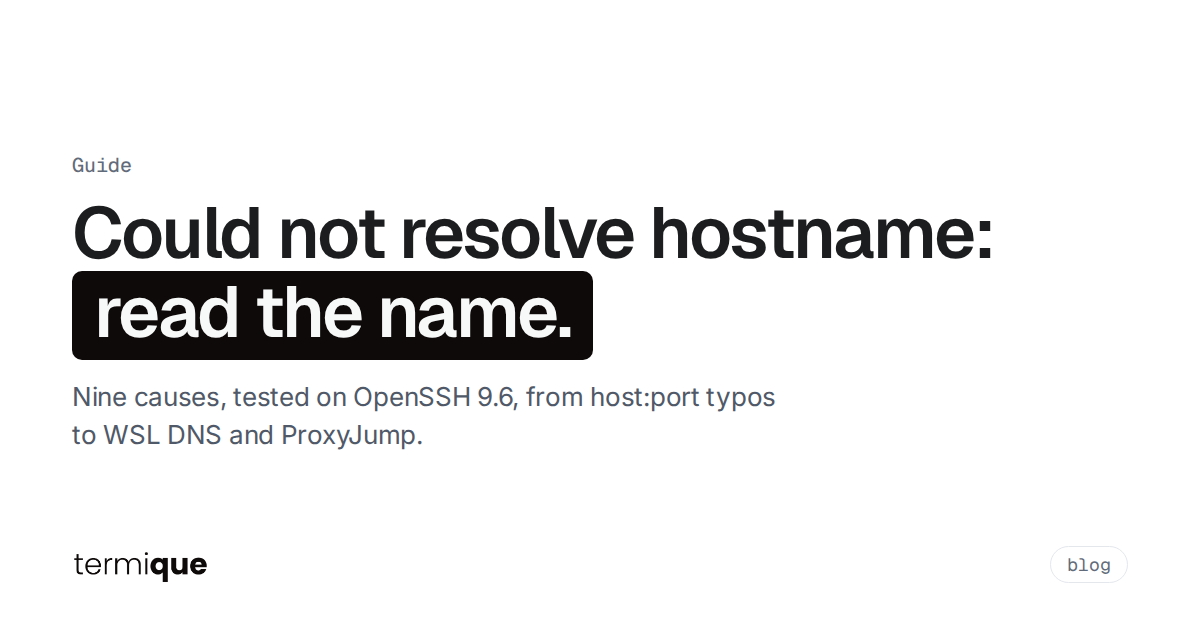
All of them mean one thing: ssh asked your operating system to turn a name into an IP address, and the OS said no. No TCP connection was opened. The server, its firewall and your keys are not involved yet. That is useful, because it shrinks the search to two places: the exact string ssh tried to resolve, and the resolver on your machine.
We reproduced every cause below on OpenSSH 9.6 (Ubuntu 24.04) and quote the real output.
Quick Summary: What You’ll Learn
- What “Could not resolve hostname” means and which part of the connection failed
- How to read the error: the name ssh tried and the resolver’s reason
- Three commands that find the cause in under a minute
- Nine causes we reproduced, each with its fix: typos, glued ports and paths, argument order, missing aliases, the wrong config file, DNS outages, WSL,
.localnames and jump hosts - Why
gitandscpprint the same error, and the oddhostname cvariant
What does “ssh: Could not resolve hostname” mean?
It means name resolution failed. Before ssh can connect, it passes the host part of your command (or the HostName from your ssh config) to the system resolver, getaddrinfo(). The resolver checks /etc/hosts, then DNS, then whatever else your system is configured to use. If none of them returns an address, ssh prints the name it tried and the resolver’s error text, then exits.
So the message has two parts worth reading:
ssh: Could not resolve hostname <the exact string ssh tried>: <the resolver's reason>The string between hostname and the colon is the most useful piece of information in the whole error. Half of the cases below are solved just by looking at it: it contains a port, a path, a URL scheme, a typo, or a word that was never meant to be a hostname.
What do the different endings mean?
The reason after the colon comes from the operating system, not from OpenSSH. The same problem prints differently per platform:
Name or service not known(Linux, glibcEAI_NONAME): the resolver got a definite answer that the name does not exist.Temporary failure in name resolution(Linux,EAI_AGAIN): the resolver could not get an answer, usually because no DNS server responded. See the caveat below.No address associated with hostname(Linux,EAI_NODATA): the name exists but has no address records.nodename nor servname provided, or not known(macOS): the macOS wording for a name that does not resolve.No such host is known.(Windows,WSAHOST_NOT_FOUND): the Windows wording for the same thing.
One caveat from our lab. On Ubuntu with the systemd-resolved stub resolver, a single-label name that does not exist anywhere (no dot, like prod or root) came back as Temporary failure in name resolution, even though DNS was working fine:
$ ssh prod
ssh: Could not resolve hostname prod: Temporary failure in name resolution
$ resolvectl query prod
prod: Name 'prod' not found
So on those systems, “temporary failure” for a short name usually means “this alias is not defined”, not “DNS is down”. Check the config before you start debugging the network.
How do you find the cause in under a minute?
Run these three things in order.
1. Read the name in the error. Does it contain :, /, https://, a space, or a word like root? Jump to the matching cause below.
2. Ask ssh what it would connect to. ssh -G prints the final configuration after evaluating every Host and Match block, then exits without connecting:
ssh -G prod | grep -E '^(hostname|user|port|proxyjump) 'If hostname shows the alias itself (hostname prod), no Host prod block matched, so ssh is trying to resolve the alias as a real name. If it shows a real name, that is the string to test next.
3. Resolve that name with the system resolver, the same path ssh uses:
# Linux (uses /etc/hosts, DNS and nsswitch, like ssh)
getent hosts prod.example.com

# macOS
dscacheutil -q host -a name prod.example.com

# Windows PowerShell
Resolve-DnsName prod.example.com
On Linux, getent prints nothing and exits with status 2 when the name does not resolve. If getent fails too, the problem is the name or the resolver, not ssh. If getent works but ssh fails, ssh is resolving a different string than you think: go back to step 2.
1. Is it a typo, or does the name not exist?
The plain case. The name is misspelled, or the DNS record was never created or has been deleted:
$ ssh [email protected]
ssh: Could not resolve hostname nosuchhost.invalid: Name or service not known
The same applies to a typo inside your ssh config. Here the alias is fine but the HostName under it is wrong, which is easy to miss because you never type the real name:
Host prod
    HostName prod.exmaple.com
User deploy$ ssh prod
ssh: Could not resolve hostname prod.exmaple.com: Name or service not knownNotice that the error names prod.exmaple.com, not prod. That tells you the alias matched and the problem is the HostName line. Fix the spelling, or check with whoever owns DNS that the record exists. If the record was only just created, a cached negative answer on your machine or resolver can hide it for a while.
2. Did a port, path or URL get glued to the host?
ssh’s destination is [user@]hostname or ssh://[user@]hostname[:port]. A plain host:port is not valid syntax, so ssh treats the whole string as a name:
$ ssh [email protected]:22
ssh: Could not resolve hostname example.com:22: Name or service not known

$ ssh [email protected]:/var/www
ssh: Could not resolve hostname example.com:/var/www: Name or service not known

$ ssh https://example.com
ssh: Could not resolve hostname https://example.com: Name or service not known
The fixes:
ssh -p 2222 [email protected]          # custom port
ssh ssh://[email protected]:2222       # URI form, port allowed
scp [email protected]:/var/www/x .     # host:path is scp/sftp syntax, not ssh
ssh [email protected]                  # no scheme, ssh is not a browser
The host:path form is the most common one: it is correct for scp, sftp and rsync, and muscle memory carries it over to ssh.
3. Are the arguments in the wrong order?
ssh takes the first argument that is not an option as the destination and everything after it as the remote command. So this:
$ ssh root 192.0.2.10
ssh: Could not resolve hostname root: Temporary failure in name resolution
tries to connect to a host called root and run 192.0.2.10 on it. Write it as ssh [email protected] or ssh -l root 192.0.2.10.
A similar trap explains the confusing Could not resolve hostname c error. scp and rsync read anything shaped like word:path as a remote host. A Windows path such as C:/Users/me/x.txt matches that shape:
$ scp f.txt C:/Users/me/x.txt
ssh: Could not resolve hostname c: Temporary failure in name resolution
scp: Connection closed
The drive letter became a hostname, lowercased. On Windows, use a relative path, or a form that does not start with letter:, for the local side. In WSL or Git Bash, use the mounted form (/mnt/c/Users/me/x.txt or /c/Users/me/x.txt).
4. Is the alias missing from the config ssh is reading?
Aliases only exist inside an ssh config file. If ssh reads a file that does not contain your Host block, the alias is resolved as a bare name and fails. ssh -G makes this visible:
$ ssh -F none -G prod | grep '^hostname'
hostname prod
Common reasons the right file is not read:
- sudo.
sudo ssh prodruns ssh as root, and ssh reads root’s~/.ssh/config, not yours. OpenSSH finds the home directory from the user database, not from$HOME; we confirmed that settingHOMEto another directory did not change which config was loaded. Run ssh as yourself, or pass-F /home/you/.ssh/config. - Windows. The Windows OpenSSH client reads
%userprofile%\.ssh\config. A config you wrote inside WSL lives in the Linux home and is invisible tossh.exe, and the reverse is also true. - A different tool. VS Code, Git GUIs and CI runners may run a different ssh binary, as a different user, or with
-F. Check which one withssh -Vin the same environment. - The Host pattern does not match.
Host prod-dbdoes not matchprod. Patterns are matched against what you typed, sossh -Gis the quickest way to see whether a block applied.
For Git, the classic version of this is a multi-account setup with a remote like [email protected]:org/repo.git. If the Host github.com-work block is missing or misspelled, ssh tries to resolve the alias literally:
$ ssh -T [email protected]
ssh: Could not resolve hostname github.com-work: Name or service not known
Check git remote -v and the matching Host block. If your configs are growing, our guide to organizing your ssh config covers Include files and naming that avoids this class of mistake.
5. Is DNS actually down or unreachable?
When every name fails, including ones that worked yesterday, the resolver itself has no working path to a DNS server. We reproduced this by pointing /etc/resolv.conf at an address with no DNS server behind it, inside a private mount namespace:
$ ssh example.com
ssh: Could not resolve hostname example.com: Temporary failure in name resolution

$ git ls-remote [email protected]:openssh/openssh-portable.git
ssh: Could not resolve hostname github.com: Temporary failure in name resolution
fatal: Could not read from remote repository.
That second block is the usual way people meet this error through Git: git runs ssh, so the message is ssh’s, and the Please make sure you have the correct access rights line that follows is a generic Git hint, not a permissions problem.
What to check:
- Can you resolve anything?
getent hosts example.comon Linux. If not, the problem is your network, not the server. - Which resolver are you using?
cat /etc/resolv.conf, and on systemd-resolved systemsresolvectl status. - Did a VPN connect or disconnect? VPN clients often replace DNS servers, and when they drop, names that only exist on the corporate network stop resolving while public names still work. Internal names failing while
github.comworks points here. - Does a different resolver know the name?
dig +short prod.example.com @1.1.1.1queries a public resolver directly. If that works and your system resolver does not, the problem is local DNS configuration or split DNS.
6. Are you in WSL with a broken resolv.conf?
WSL 2 generates /etc/resolv.conf for you by default (generateResolvConf = true in /etc/wsl.conf). When that generated file points at something that cannot answer, typically after VPN changes on the Windows side, every name fails inside WSL while Windows itself resolves fine. Compare them:
# inside WSL
cat /etc/resolv.conf
getent hosts github.com

# in Windows PowerShell
Resolve-DnsName github.com
If Windows resolves and WSL does not, two documented options exist in Microsoft’s WSL configuration reference:
- Let Windows answer DNS for WSL: the
dnsTunnelingsetting in%UserProfile%\.wslconfigunder[wsl2](it defaults totrueon current WSL releases), ornetworkingMode=mirrored. - Take over the file yourself: set
generateResolvConf=falseunder[network]in/etc/wsl.conf, then write your own/etc/resolv.confwith anameserverline that works on your network.
Either way, run wsl --shutdown from Windows and start WSL again; configuration changes only apply after the WSL VM fully stops.
7. Is it a .local name?
Names like raspberrypi.local are not in DNS. They are answered by multicast DNS on your local network. If your machine does not speak mDNS, the lookup fails like any unknown name:
$ ssh [email protected]
ssh: Could not resolve hostname raspberrypi.local: Name or service not known
Our lab VM had hosts: files dns in /etc/nsswitch.conf, so .local names could not resolve at all. On Linux, mDNS needs a responder plus the nss-mdns plugin (on Debian and Ubuntu, the avahi-daemon and libnss-mdns packages), with an nsswitch line like:
hosts: files mdns4_minimal [NOTFOUND=return] dnsTwo other things break .local names even when mDNS works: the device is on a different subnet or VLAN (multicast does not cross routers by default), or a guest Wi-Fi network isolates clients. The dependable fix for a device you use often is to give it a fixed address on your router and put it in your ssh config:
Host pi
    HostName 192.168.1.50
    User pi
8. Is the name only resolvable behind a jump host?
With ProxyJump, your machine does not resolve the final hostname. The jump host does. So the error looks different, and it comes from the far side:
Host internal-db
    HostName db01.internal.example
ProxyJump jump$ ssh internal-db
channel 0: open failed: connect failed: Name or service not known
stdio forwarding failed
Connection closed by UNKNOWN port 65535The jump host’s sshd logged connect_to db01.internal.example: unknown host (Name or service not known). There is no “Could not resolve hostname” line on your side, because your machine never tried. Fix it where the lookup happens: log in to the jump host and run getent hosts db01.internal.example there. If the jump host itself fails to resolve, you get the normal ssh: Could not resolve hostname jump error instead, which points at your local config or DNS.
If you run bastions for a team, our post on recording ssh sessions through a bastion host covers the jump host side in more depth.
9. Does the name have an address for the family you forced?
-4 and -6 (or AddressFamily in your config) restrict which address types ssh accepts. A name that only has IPv6 addresses cannot be reached with -4:
$ ssh -4 ipv6.google.com
ssh: Could not resolve hostname ipv6.google.com: Name or service not known
The name exists, but not for the family you asked for. Check for an AddressFamily inet line in your config with ssh -G host | grep addressfamily, and drop the flag or use a name with the right records.
A quick checklist
- Read the exact name in the error. Remove any
:port,:path,https://or stray words. - Run
ssh -G <host> | grep '^hostname'and confirm it shows the real name, not the alias. - Run
getent hosts <that name>(or the macOS/Windows equivalent). - If nothing resolves: check
/etc/resolv.conf, your VPN, and WSL’s DNS settings. - If only internal names fail: VPN or split DNS.
- If you use
ProxyJump: resolve the name on the jump host, not locally.
Where does termique fit?
termique stores each host as a saved entry with the address, port and username in separate fields, so the “port glued to the host” mistake does not happen: pasting host:port into the Host or IP field fills in the Port field for you. Hosts can be grouped, tagged and reached through a jump host with Connect via, and your host list syncs across your devices. Credentials and private keys sync as end-to-end encrypted ciphertext; host entries themselves sync as plaintext metadata, which is worth knowing if hostnames are sensitive in your environment.
Name resolution still happens on your machine’s resolver, so a broken DNS or VPN setup fails in termique just as it does in the terminal. The commands above apply either way.
termique is a free, native ssh manager we build, with end-to-end encrypted credentials. If you want to try it, download it here. For agent and key setup that pairs well with a tidy host list, see how to use ssh-agent.
FAQ
Why does ssh say “Temporary failure in name resolution” when my internet works?
Two common reasons. Either the system’s DNS server is unreachable (a VPN changed it, or WSL generated a bad resolv.conf), or, on Ubuntu systems using systemd-resolved, you used a short alias without a dot that is not defined in your ssh config. Run ssh -G <alias> | grep '^hostname' first: if it shows the alias itself, add the Host block.
How do I fix “Could not resolve hostname github.com”?
Run getent hosts github.com (Linux) or Resolve-DnsName github.com (Windows). If that fails, it is your DNS or network, not GitHub or your keys. If it works, check ~/.ssh/config for a Host github.com block with a wrong HostName, and check your remote with git remote -v.
Why does scp say “Could not resolve hostname c”?
scp read a Windows path like C:/Users/... as host:path, so the drive letter became the hostname. Use a relative path for the local side, or the /mnt/c/... form in WSL.
What does “No such host is known” mean in Windows ssh?
It is Windows’ wording for a name that does not resolve (WSAHOST_NOT_FOUND). The causes and checks are the same: typo, missing alias in %userprofile%\.ssh\config, or DNS. Resolve-DnsName <name> in PowerShell tests the lookup on its own.
Is “Could not resolve hostname” a server problem?
No. The error happens before ssh opens any connection, so the server, its firewall and sshd are not involved. The cause is the name you gave ssh or the resolver on your machine. The one exception is ProxyJump, where the jump host does the lookup and reports connect failed: Name or service not known instead.